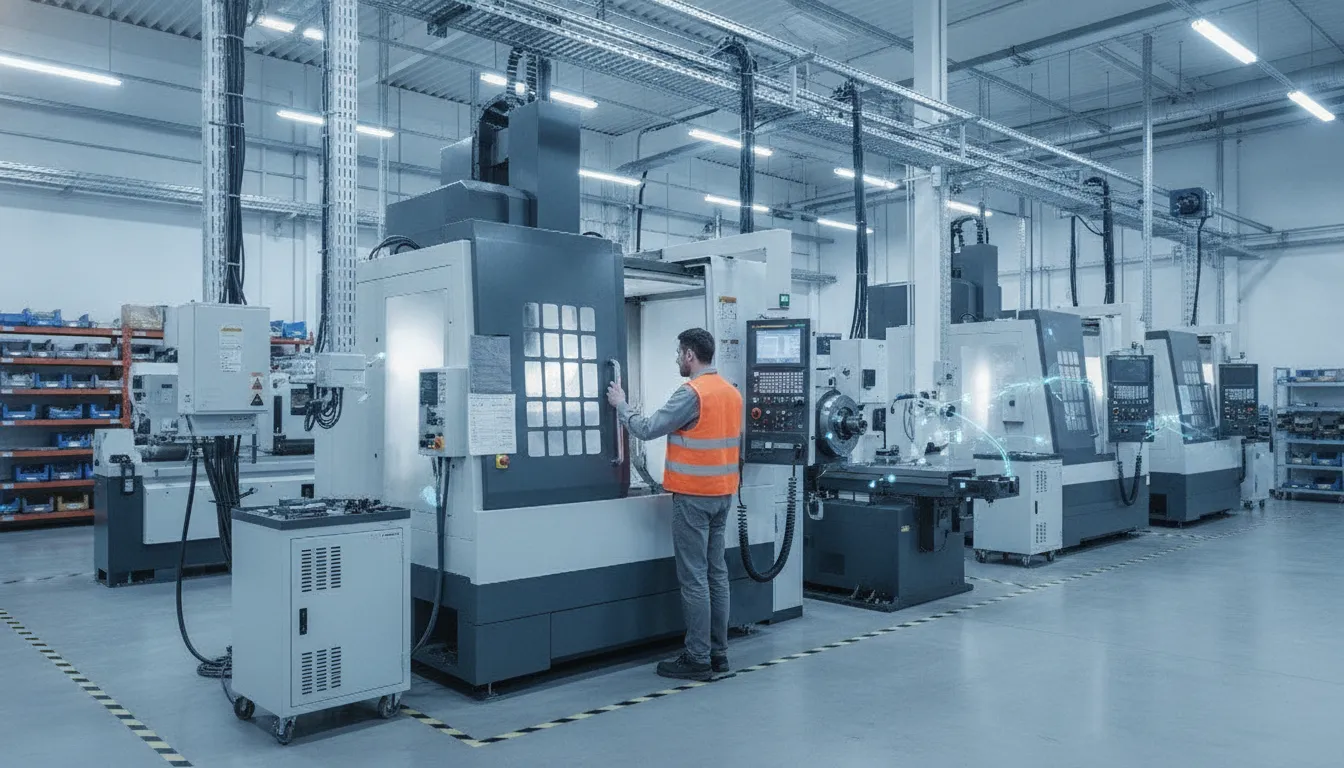
Machine Monitoring
MTConnect CNC Monitoring for Legacy Machines: A Complete Guide
Published July 9th, 2026
Many shops still use manual logs to track downtime on their older CNC mills. This slow process leads to inaccurate OEE scores. You can now get real-time data from legacy tools without a full control retrofit. This guide explains how to use open standards to connect your shop floor and capture live machine data across multiple brands without replacing your existing equipment.
Ready to see how MTConnect monitoring works with your shop floor? Request a personalized demo to see how JobPack connects your legacy machines to a real-time monitoring dashboard.
What Is MTConnect and How Does It Enable CNC Monitoring?
MTConnect CNC monitoring is an open standard that allows legacy machine tools to share data with modern software. This protocol uses a common set of words to describe what a machine is doing in real time. Instead of using a complex, closed system, shops can use this tool to track spindle time and part counts across many brands. It helps factory owners find bottlenecks and see why machines stop without buying new hardware. According to a report from NIST, this protocol allows getting data from factory devices like machine tools and sensors using an open format. This setup lets you track overall equipment effectiveness to see where your shop loses time. It is a low-cost way to bring old CNC units into a digital workspace.
MTConnect is an open and royalty-free standard that helps shop equipment share data. It acts as a common language for machines from many brands. By using a semantic vocabulary, MTConnect gives data a clear structure. This means any software can read the data without a closed or secret format. Using MTConnect CNC monitoring is a top way for shops to track work in real time. It lets you get facts from machine tools, sensors, and controllers through one open protocol.
The History of MTConnect
The Association for Manufacturing Technology (AMT) first spoke about MTConnect in 2006. They saw a need for an open way for shops to link their equipment. The first version of this standard came out in 2008. It used XML-based messages to let machines talk to shop computers. This move helped shops stop using old, closed tools that were hard to link. Today, MTConnect is a key tool that supports smart factory goals for many shops. For a broader overview, see JobPack’s CNC monitoring guide for how these protocols integrate with a complete MES platform.
How the Standard Works with CNC Units
To connect legacy machines to MTConnect, you need three main parts. These are an adapter, an agent, and a client. The adapter reads data from the CNC unit or its sensors. The agent then turns that data into the MTConnect XML format. Last, the client software reads the data to show machine status and uptime. This setup lets you track many paths and spindles at once. Some systems even support older versions of the standard to keep old and new machines on one shop network. The JobPack machine monitoring software acts as a client that consumes these data streams across your entire shop floor.
Why Common Standards Help Shops
Without a standard like MTConnect, each machine would need its own software. This makes it hard to see how a whole shop is doing. MTConnect solves this by giving data a clear meaning. For example, it defines what “spindle speed” or “e-stop” looks like in the data stream. Research from the National Institute of Standards and Technology (NIST) shows this helps tools work together. It helps owners find why machines stop and fix slow spots without buying new CNC units.
Why Are Legacy CNC Machines Hard to Monitor in Discrete Manufacturing?
The pain of dark machines on the floor
Many job shops with 5 to 50 CNC machines run their daily work on old iron. These mills are often ten or twenty years old. They use Fanuc or Haas tools that still cut well. But these machines do not talk to your office network or scheduling software. They are “dark” machines. You cannot see if a spindle is turning or if a machine is down for a changeover in real time. This lack of data makes it hard for your shop to plan work for the day. You must walk the shop floor to check each screen by hand. This takes too much time. It also means your data is always late, which leads to scheduling errors. A production scheduling platform like JobPack fills this gap by pulling live data from every connected machine.
Locked data and brand-specific codes
Old machines use codes and languages that only the maker can read. Some use old RS-232 ports that are hard to link to a modern PC. This is a big hurdle for any CNC monitoring guide that aims for full floor health. When data is locked in a brand-specific format, you cannot see the big picture. You might have five machine brands that each speak a new tongue. This makes it too hard to track OEE across the whole shop. Most small shops do not have the money to buy all new machines to fix this. A new mill can cost $100,000 or more. Even a new controller for an old mill can cost $10,000 to $50,000. These high costs often block shops from getting the data they need to grow and stay ahead of the pack.
Connecting the shop floor without new hardware
To fix these issues, you need a way to read data from many types of tools at once. You need a common way to talk to machines and sensors that does not cost a fortune. MTConnect helps shops get data from shop floor devices through one shared language. This open protocol works with old machine tools, sensors, and controllers alike. It removes the need to buy costly new hardware for every mill or lathe on your floor. By using MTConnect CNC monitoring, you can link your whole shop to one hub. This gives you the clear, live view you need to find and fix bottlenecks as they happen. It turns your old iron into a smart part of your digital shop. Learn more about how JobPack machine monitoring handles multi-vendor shop floors.
MTConnect vs OPC UA: Choosing the Right Protocol for Legacy Equipment
Connecting old machines to a network helps you see how they run in real time. For many shops, the choice comes down to two standards: MTConnect and OPC UA. Both help you get data from your plant, but they work in other ways. Knowing these traits is key for a good MTConnect CNC monitoring setup.
Comparing Data Structures and Purpose
MTConnect is an open and royalty-free standard. It gives you a semantic set of terms for your shop tools. This means the data comes with a clear meaning. For example, it tells you a number is a “spindle speed” or a “part count” right away. As NIST experts note, this helps machines share data without using closed or secret formats. It makes MTConnect CNC monitoring much easier for older mills and lathes.
By using a standard set of terms, you can track performance across different machine brands without extra code. This is why many shops prefer MTConnect for their initial CNC projects. It takes the guess work out of reading data from a mix of old and new tools.
OPC UA works in a new way. It is a standard that works on any system and uses a client-server model. It focuses on syntactic links. This means it helps systems talk to each other by sending messages, but it does not always define what those messages mean. It works with many tools and many types of gear.
Security Models for Shop Floor Data
Security is a big factor when you connect legacy machines to MTConnect or OPC UA. MTConnect is often read-only. This makes it very safe because a remote user cannot change how the machine runs. It is simple to set up on a local network. In most cases, you only need to see machine status. For these tasks, a read-only link is all you need to keep your shop floor secure while gathering data.
OPC UA has a more detailed safety model built in. It uses safety keys and codes to keep data safe. This is useful if your data needs to travel over a larger network. While it takes more work to set up, it offers more control over who can see or change machine data.
The MTConnect-OPC UA Companion Specification
You do not always have to choose just one. The NIST partner guide shows how these two can work together. This plan joins the meaning of MTConnect with the strong talk of OPC UA. It gives shops a stronger way to link all their tools. By using both, you can get the best of both worlds for your CNC monitoring needs.
| Feature | MTConnect | OPC UA |
|---|---|---|
| Primary Purpose | Machine tool data | General industrial data |
| Data Format | XML (Semantic) | Binary or XML (Syntactic) |
| Security | Read-only / Safe | Built-in / Strong |
| CNC Focus | High | Medium |
| Best For | Machine monitoring | Process control |
What Hardware Adapters Connect Older CNC Controllers to MTConnect?
Many job shops run older CNC machines that do not have built-in data ports. These legacy tools often lack the native ability to send data using modern protocols. However, you can still achieve MTConnect CNC monitoring by using hardware adapters and retrofit kits. These tools act as a bridge between the physical signals of an old machine and your digital shop floor network.
Protocol Converters for Legacy Ports
One common solution for older controllers is a protocol converter like the Silex FBR-100AN. This device connects to standard interfaces like RS-232C or RS-485. It then translates those signals into the MTConnect or OPC UA standards used by modern MES platforms. By using these adapters, you can connect legacy machines to MTConnect without the high cost of a full controller rebuild. JobPack’s own machine monitoring solutions support this type of integration out of the box.
Hardware bridges can send data over wired or wireless LAN setups. This flexibility is vital for older plants where running new cables might be hard. These devices help shop floors get data from machine tools and sensors using an open protocol (NIST). This data flow lets managers see real-time statuses from every mill or lathe, regardless of its age.
Advanced Monitoring with Custom Data Tags
Software like Predator MDC can work with these adapters to manage data from many sources at once. It supports many versions of the MTConnect standard from v1.1 up to v1.4. This allows a single system to monitor both new and old equipment in one view. Predator MDC can also track up to 100 custom tags for each machine if you need more than just basic status codes.
Using custom tags lets you pull specific details that standard profiles might miss. This level of detail helps find downtime causes and efficiency bottlenecks directly from the data (NIST). It ensures your monitoring system grows as your needs change.
JobPack Signal Kits and Digital Sensors
When a controller has no digital output at all, you can use hardware signal monitoring kits. JobPack offers specialized kits like the EH110 for 110VAC signals. There are also standard kits for HAAS and OKUMA machines. These kits use physical links to track spindle states or tool changes without touching the machine logic. See the JobPack machine monitoring page for full kit details and compatible machine brands.
For the oldest equipment, digital I/O modules and current sensors offer a final path to connectivity. Current sensors can tell if a machine is running just by measuring the power draw of the motor. This method gives a simple way to track spindle time and OEE on machines that date back decades. These retrofit steps make full shop floor visibility possible for any manufacturer.
Step-by-Step: Connecting Legacy CNC Machines to MTConnect Monitoring
Old CNC machines often lack the built-in tools to share data with modern systems. But you can still connect legacy machines to MTConnect for real-time tracking of your shop floor. This process lets you see how your shop runs without the high cost of buying new gear. Most shops find that adding monitoring to older tools is the fastest way to boost their daily output.
Want to skip the guesswork? Request a live demo to see how JobPack connects to your specific machine types.
How to check your shop floor
Connecting an old mill or lathe takes a few clear and simple steps. You will first need to look at each machine to see what its controller can do. Some tools connect with a simple network cable, while others need a small hardware box. Here is a guide on how you can start your own setup today.
- Check your machine controller. Open the power cabinet and look for ports like RS-232 or Ethernet. This check helps you know if the machine can talk to a network on its own or if it needs a signal kit. You should also note the age and make of the controller to find the best driver.
- Pick your connection method. Newer tools often use native MTConnect right out of the box. Older Fanuc or Haas tools might need a hardware adapter or a signal kit to bridge the gap. Using an open protocol lets you retrieve data from machine tools and sensors without using closed or secret formats.
- Install the adapter or agent. This piece of software or hardware acts as a bridge or translator. It takes the raw signals from the machine and turns them into a standard language that your network can read. This step ensures that every machine on your floor speaks the same language.
- Set up your data points. Choose which facts are most useful for your team to track. Most shops start with simple things like spindle speed, run time, and alarm codes. This data shows you exactly where your bottlenecks are and why jobs might be running late.
- Link to your monitoring software. Connect the machine feed to your MES platform like JobPack. This link lets you see live machine status from your desk or phone in real time. It makes it easy for planners to see which machines are ready for the next job.
- Test the data flow. Run a test part and watch your monitoring screen to see if the data is right. Check that the running and idle times match what is happening on the shop floor. This step ensures your OEE math is based on real and honest facts.
Getting the most from your machine data
Once you connect your tools, you can track shop performance in real time. This helps you find why a machine is idle or why a job takes too long to finish. Using a standard MTConnect CNC monitoring setup makes your data useful across your whole shop network. You can then make better plans and meet your ship dates based on what your machines actually do. For a deeper look, read the machine monitoring best practices guide from JobPack.
Measuring OEE with MTConnect CNC Monitoring Data
Overall Equipment Effectiveness (OEE) is a key tool to find waste in a machine shop. It measures how well you use your CNC machines compared to their full potential. To get an honest OEE score, you need live data from the shop floor. MTConnect CNC monitoring gives you this data by pulling real-time signals directly from your machine controllers. This open standard turns raw data into clear facts about three main areas: availability, performance, and quality.
Tracking availability and downtime
Availability is the first part of the OEE math. It shows how much time a machine runs versus when it was planned to run. Many shops rely on manual logs to track when a spindle stops. But MTConnect monitors the machine state in real time. It can tell the difference between a planned tool change and an unplanned stop. For example, a shop with 15 legacy CNC machines can use this data to find the 20% of machines that cause 80% of total downtime. Finding these “bad actors” lets you fix small issues before they stop your whole line. JobPack’s real-time machine monitoring dashboard surfaces this data automatically.
Performance and cycle time accuracy
Performance measures how fast a machine runs compared to its best cycle time. If a machine runs slower than its set rate, your OEE score will drop. MTConnect streams data about feed rates and spindle speeds to show exactly how your machines perform. This helps you find hidden bottlenecks that manual checks might miss. You can see if a machine is idling too long or if a tool path is not efficient. According to the National Institute of Standards and Technology (NIST), using these live data streams helps factories boost production and lower costs. JobPack uses this data to track real-time OEE, giving you a live look at your shop floor health.
Quality and part count data
The final part of OEE is quality. This is the ratio of good parts to the total count made. MTConnect data helps here by tracking part counts and machine alarms. When a machine shows an alarm, it often points to a quality risk or a broken tool. By linking these alarms to your part counts, you get a clear view of your scrap rate. You can get this level of detail without the need to replace your old machine controllers. For more tips on how to set this up, you can check out the CNC monitoring guide as companion content.
Frequently Asked Questions
Is MTConnect a free standard for CNC monitoring?
Yes. MTConnect is an open and royalty-free standard that lets many machines share data without using closed or paid formats. According to the NIST, it provides a common way for shop tools to talk to computer software. Shops do not have to pay a fee to use these rules, which makes it easier for small firms to track their work. It helps everyone use the same words to share data across the shop floor.
Can I monitor older CNC machines with MTConnect?
Yes. You can connect legacy machines to your monitoring system with MTConnect without buying costly new controllers. Instead, you can use hardware adapters or small software tools that turn old machine signals into the standard MTConnect format. This allows you to track real-time data from older mills and lathes alongside your new tools. It is a smart way to get more life out of your shop assets while you improve your work speed.
What types of data does MTConnect collect from machines?
MTConnect allows you to see many types of live machine data such as part counts and alarm states. Research from PTC shows that the first standard helped machines share info using XML-based messages. This data helps you find where work slows down so you can fix slow spots on the shop floor. It gives you a clear look at how your machines run each day to help you improve your OEE.
Can MTConnect and OPC UA be used at the same time?
Yes. These two standards can work together to give you better data across your whole shop network. MTConnect provides a clear way to show what the machine is doing while OPC UA provides a strong way to send that data. The NIST states that joining these two standards gives shops more power to track their daily work. This helps you connect many different types of shop floor gear to your main system.
How do I know if my CNC controller supports MTConnect?
Check your controller model against the MTConnect Institute’s registered agents list. Many newer Fanuc, Haas, Mazak, and Okuma controllers support MTConnect natively or through a software agent. For older controllers. You can use a hardware adapter like the Silex FBR-100AN or a JobPack EH110 signal kit to bridge RS-232 or digital I/O ports to the MTConnect standard.
Ready to Start Real-Time CNC Monitoring on Your Old Machines?
Every day you wait to link your shop floor is a day of lost data for your shop. This leads to missed profit and unknown downtime that hurts your bottom line. Without live views, hidden snags will keep cutting your output and raising costs. Other shops already use data to win more jobs and grow. You do not need to buy new machines to get these results. Using MTConnect and OPC UA lets you see how your old gear runs today. Starting now helps you stop guessing and make better choices based on facts.
Ready to get started? Request a personalized demo of JobPack’s machine monitoring and production scheduling platform. You can also call JobPack at 847.741.1861 or visit the contact page to speak with a manufacturing technology specialist.