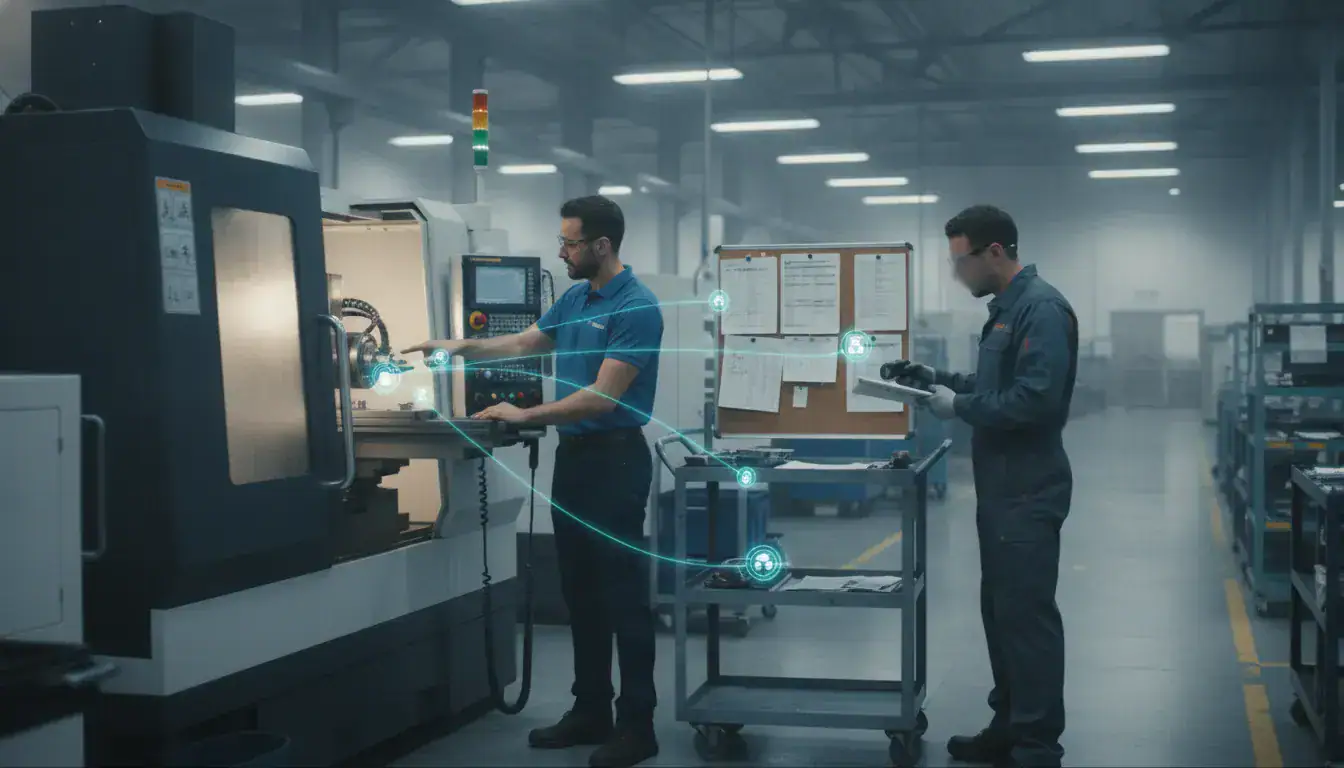
Costly rework, missed deadlines, and piles of scrap material often trace back to one source: a mismatch between your jobs and your CNC software. When your programming tools aren’t aligned with your production goals, you lose efficiency at every turn. Choosing the right software isn’t just an IT decision; it’s a business decision that directly impacts your bottom line. This article will help you diagnose your needs and find a solution that fits. We’ve compiled a comprehensive cnc software list and a practical guide to help you select a tool that reduces waste, improves accuracy, and ensures your shop runs as smoothly as possible.
Key Takeaways
- Master the core software types for a complete workflow: Every CNC job moves from CAD for design, to CAM for generating toolpaths, and finally to control software for precise machine execution.
- Choose software based on your shop’s reality: Match your selection to your team’s skill level, project complexity, and budget to ensure the tool helps, not hinders, your daily operations.
- Prioritize integration for a connected shop floor: The most effective CNC software works with your other systems, like production scheduling and machine monitoring, to create a visible and efficient manufacturing process from start to finish.
What is CNC Software? (And Why Your Shop Needs It)
Think of CNC software as the brain behind your machine’s brawn. It’s the set of digital tools that translates a design idea into precise instructions that your CNC equipment can follow. Without it, your advanced machinery is just a powerful but dormant tool. This software is the critical link that transforms a digital file into a tangible, perfectly machined product, making it the backbone of any modern manufacturing operation. It ensures everything runs smoothly, from the initial concept to the finished piece on your shop floor.
CNC software isn’t just one program; it’s usually a suite of tools that work together to get the job done. Let’s break down the main types you’ll encounter:
- CAD (Computer-Aided Design): This is where every project begins. CAD software is your digital drawing board, used to create the detailed 2D or 3D models of the part you want to produce.
- CAM (Computer-Aided Manufacturing): Once you have a design, CAM software acts as the expert translator. It converts your CAD model into a language the CNC machine understands, known as G-code. This step is crucial for planning toolpaths and optimizing the entire machining process for efficiency.
- Control Software: This is the operator that puts the plan into action. It takes the G-code from your CAM program and feeds it directly to the CNC machine, controlling the movement of the tools, spindles, and axes to execute the job with precision.
- Simulation Software: Think of this as your digital safety net. It allows you to run a virtual test of the machining process, helping you spot potential collisions or errors before you cut a single piece of material. This is a huge factor in improving your production scheduling and reducing scrap.
Integrating the right CNC software is fundamental to staying competitive. It streamlines your entire workflow, from design to production, and helps you achieve higher levels of precision and consistency. This directly impacts your bottom line by reducing costly errors, minimizing material waste, and improving your operational efficiency. Ultimately, the right software empowers you to produce higher-quality parts faster, which is key to delivering work on time and within budget.
Your Guide to the Top CAD Software for CNC Design
Before a single piece of metal is cut, your part exists as a digital file. That file is born in Computer-Aided Design (CAD) software. Think of CAD as the digital drafting table where you create a 2D or 3D model of your final product. This design is the essential first step in the CNC process, serving as the blueprint for everything that follows. The right CAD software can make creating these blueprints intuitive and efficient, while the wrong one can feel like a constant roadblock to getting work done.
Choosing the best option depends entirely on your shop’s needs. Are you working on complex, multi-part assemblies? Do you need a tool that your whole team can access from anywhere? Or are you just starting out and need something that won’t break the bank? The design you create here will eventually be translated into machine instructions, which are then managed on the shop floor. Integrating this entire process, from design to final delivery, is what modern manufacturing is all about, and it starts with a solid digital model. Once your design is ready, that data can inform your entire workflow, including production scheduling and resource management. Let’s look at a few of the most popular CAD software choices for CNC design.
Autodesk Fusion 360
If you’re looking for a versatile, all-in-one platform, Autodesk Fusion 360 is a fantastic choice. It’s a cloud-based tool that combines CAD, CAM, and CAE (Computer-Aided Engineering) into a single, affordable package. Because it’s on the cloud, it’s built for teamwork, allowing multiple designers and engineers to collaborate on the same project in real time. Fusion 360 is known for being relatively easy to learn, making it a popular option for both small shops and larger companies. Its integrated nature means you can go from designing your part to simulating its performance and preparing it for manufacturing without ever leaving the program.
SolidWorks CAM
SolidWorks is a powerhouse in the engineering world, and for good reason. It excels at creating complex assemblies and highly precise designs. One of its standout features is parametric modeling. This means if you change the dimension of one part in an assembly, every related part automatically updates to match. This can save your team an incredible amount of time on revisions. While it has a steeper learning curve than some other options, its robust capabilities make it the go-to software for shops that specialize in intricate, high-tolerance parts and detailed mechanical design.
Mastercam
When you walk into a high-volume production shop, there’s a good chance you’ll find them running Mastercam. While it’s most famous as a top-tier CAM software, it offers a complete package for both design and manufacturing. It is trusted throughout the industry for its speed, accuracy, and sheer power, especially when it comes to programming complex toolpaths for 2D to 5-axis machining. Mastercam is built for efficiency and is considered a professional standard for getting parts made quickly and correctly. If your primary focus is on fast, reliable, and complex manufacturing, Mastercam is a solution you can depend on.
FreeCAD
For shops working with a tight budget, FreeCAD is an impressive open-source option. As the name suggests, it’s completely free to use. Don’t let the price tag fool you, though; it’s a powerful parametric 3D modeler capable of creating complex and precise designs. The trade-off is that it comes with a significant learning curve. The user interface isn’t as polished or intuitive as its paid counterparts, so expect to spend some extra time learning the controls. However, for those willing to put in the effort, FreeCAD offers incredible functionality without the cost, backed by a strong community of users.
Choosing the Right CAM Software for CNC Programming
Once your design is finalized in CAD software, the next step is to translate it into instructions your CNC machine can understand. That’s where Computer-Aided Manufacturing (CAM) software comes in. CAM software takes your digital design and generates the toolpaths and G-code that direct the machine’s every move, from cutting speed to tool changes. Think of it as the bridge between your design and the finished physical part.
Choosing the right CAM software is crucial for an efficient workflow. The best option for your shop depends on several factors, including the complexity of the parts you produce, the types of machines you operate, and your team’s skill level. Some CAM programs are built for specific niches like woodworking, while others offer robust features for complex metal machining. A key consideration is how well the software integrates with your other systems. Connecting your CAM tool with a production scheduling system, for example, can create a seamless flow from design to final delivery, giving you a clear view of your entire operation.
JobPack Production Scheduling Integration
While not a CAM software itself, JobPack is a vital piece of the manufacturing puzzle that works directly with your CAM system. It’s a production scheduling and shop floor management tool designed to streamline your entire workflow. Once your CAM software generates the G-code for a job, JobPack steps in to manage when and how that job runs on the shop floor.
By integrating with your CAM and ERP systems, JobPack provides real-time updates and scheduling capabilities. This ensures that jobs are prioritized effectively, resources are allocated efficiently, and production runs without costly delays. It helps you answer critical questions like, “Do we have the machine capacity for this job?” and “When will this order be complete?” This connection between programming and scheduling is key to improving on-time delivery and overall shop efficiency.
VCarve Pro
If your shop specializes in woodworking, sign-making, or intricate carving, VCarve Pro is a popular and powerful choice. It’s known for its user-friendly interface that feels intuitive even for those who aren’t CAM experts. The software excels at creating complex 2D and 3D toolpaths for everything from detailed cabinet doors to elaborate signs.
VCarve Pro is particularly strong in V-carving, as its name suggests, but it also handles standard profiling, pocketing, and drilling operations with ease. Its drag-and-drop functionality makes setting up jobs quick and straightforward. While it might not have the extensive features needed for complex metal machining, it offers a perfect balance of simplicity and power for shops working with wood, plastics, and other softer materials.
Carbide Create
For shops just starting with CNC or those using Carbide 3D machines like the Shapeoko or Nomad, Carbide Create is an excellent entry point. This software comes free with Carbide 3D’s machines and offers a simple, all-in-one solution for basic 2D design and CAM. It allows you to draw your own designs or import existing ones, then easily generate the G-code needed for cutting.
Carbide Create is designed to be approachable for beginners, removing much of the complexity found in more advanced programs. You can create toolpaths for outlines, pockets, and engraving without a steep learning curve. While it’s not intended for high-volume, complex manufacturing, it’s a fantastic, no-cost tool for prototyping, small projects, or learning the fundamentals of CNC programming.
HSMWorks
If your team already designs in SolidWorks, HSMWorks is a natural fit for your CAM needs. As a fully integrated plugin for SolidWorks, it allows your programmers to work within a familiar environment, creating a smooth transition from design to manufacturing. This eliminates the common issues that arise from importing and exporting files between different software platforms.
HSMWorks is a high-performance tool that offers advanced machining strategies, including its well-regarded adaptive clearing feature, which optimizes toolpaths for faster material removal and reduced tool wear. By keeping CAD and CAM in one environment, you can quickly update toolpaths when design changes occur. This makes it a highly efficient solution for shops that demand both precision and speed in their programming process.
Essential CNC Control and Simulation Software
Once your design is finalized and the G-code is generated, control and simulation software take over. Control software is the bridge between your digital file and the physical machine, translating your instructions into precise movements. Simulation software, on the other hand, gives you a virtual preview of the entire process. It lets you catch potential collisions, optimize toolpaths, and verify the final part before a single piece of material is cut.
Using the right combination of these tools is fundamental to a smooth-running shop floor. It helps prevent costly errors, reduces material waste, and ensures your machine is running as efficiently as possible. By integrating this step with a robust production scheduling system, you can create a seamless workflow from initial order to final delivery, making sure every job stays on track and on budget. Let’s look at some of the top options available.
Mach3 and Mach4
Mach3 has been a go-to control software for years, especially for smaller shops and hobbyists. It’s known for being affordable and highly customizable, and it works well with older or retrofitted machines. If you’re working with a smaller CNC setup and need a reliable, budget-friendly option, Mach3 is a solid starting point.
Mach4 is its modern successor, built from the ground up for more demanding industrial environments. It offers better performance, a more professional interface, and advanced features designed for complex operations. While it comes with a higher price tag, Mach4 provides the power and flexibility needed for advanced manufacturing and is a worthwhile investment for shops looking to scale their production capabilities.
LinuxCNC
If you’re looking for a powerful, flexible, and completely free option, LinuxCNC is hard to beat. As an open-source platform, it gives you an incredible amount of control to customize the software to your exact needs. It runs on the Linux operating system and is capable of handling highly complex machines with multiple axes.
One of its standout features is its real-time monitoring, which allows you to keep a close eye on machine performance and prevent errors as they happen. This level of oversight is invaluable for maintaining quality and efficiency. For shops with the technical know-how to set it up, LinuxCNC offers industrial-grade control without the enterprise software price tag.
GRBL Controllers
Unlike the other software on this list, GRBL isn’t a program you run on a computer; it’s firmware that runs directly on your CNC machine’s controller, often an Arduino. Its main job is to interpret G-code and control the machine’s motors with high precision.
GRBL is incredibly simple, reliable, and efficient, which is why it has become a standard for many commercial desktop CNC machines. Because it’s so lightweight, it delivers a very stable performance without requiring a powerful dedicated computer. For many users, especially those new to CNC or running smaller machines, GRBL is the easiest and most dependable option for machine control.
CAMWorks Simulation
CAMWorks is well-regarded for its powerful simulation tools, which are fully integrated within the SolidWorks environment. This is a huge advantage for design and engineering teams, as it allows them to visualize the entire machining process without ever leaving their CAD software. You can watch a virtual representation of your machine cutting the part, which helps you identify potential issues like tool collisions or inefficient paths.
By running these simulations, you can optimize your G-code before it ever reaches the shop floor. This proactive approach is key to reducing setup times, minimizing scrap, and ensuring every part is machined correctly the first time. It’s a critical tool for any shop focused on precision and shop floor data collection to improve processes.
How to Choose CNC Software Based on Your Skill Level
The best CNC software for your shop depends entirely on who will be using it. A seasoned machinist running complex multi-axis jobs has very different needs than a new operator learning the basics of G-code. Choosing the right tool for the right skill level is key to getting your team up to speed quickly and avoiding unnecessary frustration. Starting with software that’s too advanced can slow down training and lead to costly errors, creating a bottleneck on the floor. On the other hand, sticking with beginner software for too long can limit your shop’s capabilities and overall efficiency, preventing you from taking on more profitable work.
The goal is to find a solution that matches your team’s current abilities while offering a clear path for growth. As your operators become more experienced, you can introduce more powerful features or transition to more advanced software. This approach ensures a smooth learning curve and allows your shop to scale its operations effectively. Think of it as a pathway: start with the fundamentals, build confidence, and then move on to the tools that can handle more demanding tasks. This tiered approach helps you get the most out of your investment in both your people and your technology, forming a solid foundation for efficient shop floor data collection.
Best Options for Beginners
When you’re just starting, simplicity is your best friend. The focus should be on software with an intuitive interface and a gentle learning curve. For basic machine control, many beginners find GRBL to be a great starting point because it’s straightforward and easy to use. For design and programming, options like Carbide Create are excellent. It often comes free with certain machines and lets you handle 2D designs and G-code creation without overwhelming you with features. Another popular choice is Easel, which combines design, toolpath generation, and machine control into one user-friendly package. Its integrated workflow, where the design and cutting path are directly linked, makes it incredibly easy for new users to grasp the fundamentals of CNC machining.
Recommendations for Intermediate Users
Once you’ve mastered the basics, you’ll want software that offers more control and capability without being overly complex. This is where you can explore more robust CAD/CAM solutions. For example, BobCAD-CAM provides powerful 2D and 3D design tools and allows you to test toolpaths before making a cut. It’s also scalable, so you can add more features as your shop’s needs grow. If your work involves detailed engraving or carving, VCarve Pro is a fantastic specialty tool with a simple drag-and-drop interface. For a great all-around option, many shops turn to Fusion 360. It strikes a balance between advanced features and ease of use, making it a popular choice for collaborative projects and complex designs.
Solutions for Advanced Professionals
For experienced professionals running high-stakes, complex jobs, only the most powerful and precise software will do. These advanced solutions are built for speed, efficiency, and accuracy in demanding manufacturing environments. Mastercam is a top choice, known for its ability to handle everything from simple cuts to intricate multi-axis machining with exceptional speed. If your workflow starts with detailed part design, the combination of SolidWorks and CAMWorks is hard to beat. It allows you to design parts with high precision and simulate their performance before any material is cut. For shops specializing in 5-axis work, SprutCAM offers fast toolpath generation and advanced collision detection, ensuring your programs run smoothly. Mastering these tools is the final step before integrating machine performance into your shop-wide data analytics.
A Side-by-Side Look at Key CNC Software Features
When you start comparing CNC software, the sheer number of features can feel overwhelming. The good news is that you can simplify your decision by focusing on a few core capabilities that matter most for your shop’s performance. Think about how a potential software will handle everything from the initial design to the final cut.
The right choice will not only fit your current workflow but also integrate smoothly with your existing machines and shop management systems. Let’s break down the four key areas to evaluate: toolpath generation, design capabilities, machine compatibility, and file support. Understanding these will help you find a solution that truly works for your team and your production goals.
Toolpath Generation and Optimization
At its heart, CAM software is all about creating the toolpath, which is the exact route your cutting tool will take to shape a part. But just creating a path isn’t enough; it needs to be optimized. Efficient toolpaths reduce cycle times, minimize tool wear, and produce a better surface finish. Some programs, like Mastercam, are known for being fast and precise, helping shops produce parts faster whether the job is a simple 2D cut or a complex multi-axis operation.
Optimized toolpaths are a cornerstone of efficient manufacturing. When your machines run faster and more reliably, it has a direct, positive impact on your entire production scheduling process, making it easier to hit deadlines and manage capacity.
Design and 3D Modeling Capabilities
Your CNC workflow starts with a design. Some software focuses purely on the CAM side (manufacturing), assuming you’ll import a finished design from a separate CAD (design) program. Others, however, offer integrated CAD/CAM capabilities. For example, Autodesk Fusion 360 is an all-in-one tool that lets you handle everything from 2D sketches to complex 3D models and multi-axis cutting within a single, cloud-based environment.
Having design and manufacturing in one place can seriously streamline your process, reducing the risk of errors when transferring files. This integration also provides a richer stream of information, which can feed into your shop’s overall data analytics to give you a clearer picture of your operations from start to finish.
Machine Compatibility and Integration
This might be the most critical factor of all: the software you choose must work flawlessly with your CNC machines. Every machine and controller combination can have its own quirks, so you need software that provides a reliable post-processor to translate your CAM file into the specific G-code your machine understands. The best software should support your specific equipment and generate dependable G-code every time.
Beyond the machine itself, consider how the software will fit into your shop’s ecosystem. For a truly connected operation, your CNC programming should work in tandem with real-time machine monitoring tools. This integration gives you visibility into what’s actually happening on the floor, turning your production plan into a dynamic, data-driven reality.
File Format Support and Export Options
Your shop likely works with files from various sources, whether they come from an internal engineering team or directly from a client. Because of this, your CNC software needs to be flexible with file imports. It should easily handle common formats like STEP, IGES, STL, and DXF. Whether you’re using a free tool like FreeCAD or a premium one like SolidWorks, you need to be confident that your CAM software can open and work with the design files you receive.
Equally important is the export capability. The software’s primary job is to output clean, error-free G-code that your machine can execute without issues. This final step is where the digital plan becomes a physical part, so the reliability of the exported code is absolutely essential for consistent quality and on-time delivery.
Understanding CNC Software Pricing: What to Expect
CNC software pricing isn’t a simple, one-size-fits-all number. The cost can range from completely free to tens of thousands of dollars, depending on the software’s capabilities, the number of users, and the payment model. Finding the right fit for your shop means understanding these different structures so you can align your investment with your budget and operational goals. A small startup might get everything it needs from a free tool, while a growing production facility will likely need the power and support that comes with an enterprise solution.
Most CNC software falls into one of four main pricing categories: free and open-source, subscription-based, one-time purchases, and enterprise licensing for larger teams. Each model has its own set of benefits and trade-offs. Choosing the right one can impact your shop’s cash flow, access to new features, and the level of support you receive. Let’s break down what you can expect from each option so you can make an informed decision for your business.
Free and Open-Source Solutions
Don’t let the “free” label fool you; many open-source CNC programs are incredibly powerful and can be the perfect starting point for new shops or hobbyists. Tools like FreeCAD offer robust 3D design capabilities for creating precise and complex models without any financial commitment. These solutions are ideal if you’re working with a limited budget or just need a tool for a specific function without investing in a larger software suite. The main trade-off is that support often comes from community forums rather than a dedicated help desk, so you’ll need to be comfortable with a more self-directed learning approach.
Subscription-Based Software
The subscription model has become a popular choice for many software providers, and for good reason. Instead of a large upfront payment, you pay a recurring monthly or annual fee. This approach makes powerful software more accessible and turns a capital expense into a predictable operating cost. For example, Carbide Create Pro offers an annual subscription that ensures you always have the latest features and updates. This model is great for shops that want to maintain a consistent budget and benefit from continuous software improvements and dedicated customer support.
One-Time Purchase Options
If you prefer to buy your software outright, the one-time purchase model is for you. With a perpetual license, you pay a single fee to own and use the software indefinitely. A program like MeshCAM, which generates G-code from 3D designs, is a great example of a tool you can purchase for a few hundred dollars and use for years. This is an excellent choice for businesses that have the upfront capital and want to avoid recurring fees. Just keep in mind that major version upgrades in the future might require an additional purchase.
Enterprise and Volume Licensing
For larger manufacturing operations with multiple machines and operators, enterprise licensing is the standard. These solutions are built for scalability and often come with volume discounts, premium support, and extensive training resources. Software like Mastercam is a favorite among professionals for its advanced toolpath strategies and robust features. This type of investment is about more than just the software; it’s about integrating a powerful tool into your entire production workflow. A comprehensive system ensures your team can work efficiently and that your software can grow with your business, much like a dedicated production scheduling solution.
Weighing the Pros and Cons of Each Software Type
Choosing the right CNC software goes beyond comparing feature lists. The best tool for your shop is one that fits how your team works, speeds up production, and ultimately makes everyone’s job easier. It’s about finding a solution that aligns with your specific industry, budget, and operational needs. Before you commit, think about how a potential software choice will impact your day-to-day workflow, from the learning phase to its long-term performance and integration with your existing systems. Considering these factors will help you find a platform that truly supports your shop’s goals.
User Interface and Learning Curve
A clean, intuitive user interface can make all the difference. If your team has to fight with the software to get things done, you’re losing valuable production time. A steep learning curve means more non-productive hours spent on training and a higher chance of errors. Look for software with a logical layout and clear workflows that feel natural to your operators. Some platforms are designed for beginners with straightforward controls, while others offer complex functionality that requires more expertise. The goal is to find a balance that matches your team’s skill level without limiting your shop’s capabilities.
Performance and Reliability
Your CNC software needs to be a workhorse. Consistent, reliable performance is non-negotiable because downtime is expensive. Top-tier software offers advanced toolpath strategies and automation features that create efficient, accurate G-code every time. This consistency is what allows you to run machines with confidence, knowing the output will be precise. When evaluating options, consider how the software handles complex jobs. Does it process them quickly? Is it prone to crashing? Reliable software is the foundation of a predictable and profitable manufacturing process, supported by real-time machine monitoring to ensure everything runs smoothly.
Customer Support and Community Resources
Even the most user-friendly software can present challenges. That’s when you’ll be glad you chose a provider with excellent customer support. Check if the software company offers comprehensive training materials, responsive technical help, and an active user community. A strong community forum can be an incredible resource for troubleshooting and learning new techniques from experienced peers. Having access to expert assistance when you need it ensures that a small software hiccup doesn’t turn into a major production delay. This support system is a crucial part of your investment.
Integration with Your Manufacturing Systems
CNC software doesn’t operate in a silo. It needs to communicate effectively with your other shop floor systems, from design files to your ERP. The best software integrates smoothly, creating a connected ecosystem where data flows freely. This ensures that the designs you create are accurately translated into machine instructions and that production data is captured correctly. A well-integrated system allows for better production scheduling and provides a clearer picture of your entire operation. Before choosing, confirm the software is compatible with your machines and can export files in the formats you need.
Related Articles
- What is CNC Monitoring & Why Your Shop Needs It
- 5 Best Machine Planning Software Picks for 2026
- Software Comparison Guide: Get to Know Your Options – JobPack
- A Guide to Production Planning Software for Manufacturing
Frequently Asked Questions
What’s the real difference between CAD and CAM software? Think of it this way: CAD (Computer-Aided Design) is where you create the blueprint. It’s the digital drawing board you use to design a 3D model of the part you want to make. CAM (Computer-Aided Manufacturing) is the strategist that takes your finished blueprint and figures out the most efficient way to actually machine it, creating the specific G-code instructions the machine follows.
Do I need to buy separate programs for design and manufacturing? Not necessarily. While many shops use dedicated software for each step, there are powerful all-in-one platforms available. A tool like Autodesk Fusion 360, for example, combines CAD, CAM, and even simulation into a single environment. This can simplify your workflow significantly, as you don’t have to worry about transferring files between different programs, which helps reduce the chance of errors.
How does production scheduling software like JobPack work with my CNC software? JobPack steps in right after your CAM software has done its job. Once your CAM program generates the G-code, JobPack takes that information and manages the “when” and “where” on the shop floor. It schedules the job on the right machine, ensures you have the capacity, and provides real-time visibility into its progress. It connects the digital instructions from your CAM system to the physical realities of your production schedule.
I’m just starting out. What kind of software should I look for? When you’re new to CNC, your main focus should be on simplicity and a user-friendly interface. Look for software that won’t overwhelm you with too many features right away. Tools like Carbide Create or Easel are great starting points because they combine basic design and toolpath generation in a way that is easy to grasp. The goal is to build your confidence and understand the fundamentals before moving on to more advanced, complex systems.
Is it better to pay for a subscription or buy software with a one-time fee? This really depends on your shop’s budget and how you prefer to manage costs. A subscription model gives you predictable monthly or annual expenses and ensures you always have the latest features and support. A one-time purchase, or perpetual license, involves a larger upfront cost but frees you from recurring payments. This can be a great option if you have the capital, but remember that major future upgrades might require an additional purchase.