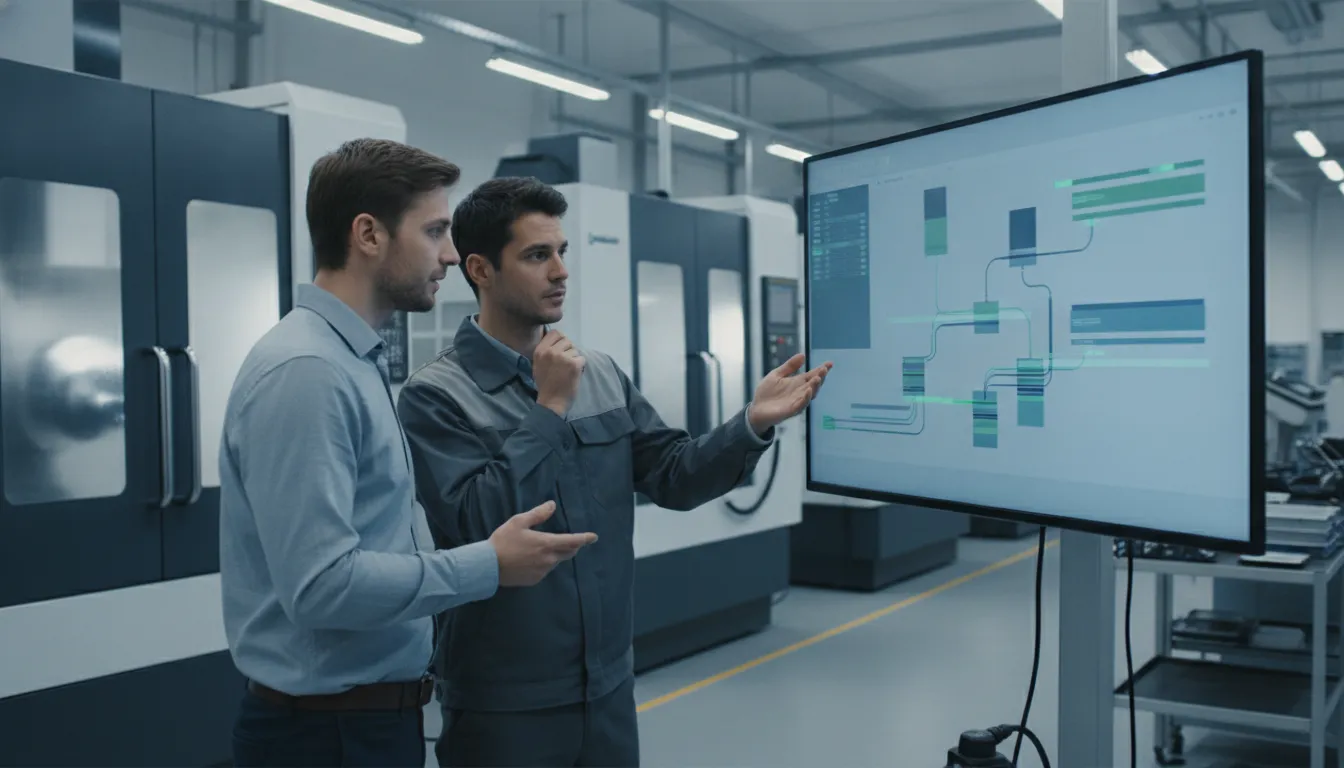
Experience and gut feelings have built countless successful machine shops, and that expertise is invaluable. But what if you could pair that hard-won intuition with real-time, undeniable facts? What if you could know, not just guess, which jobs are most profitable, where your true bottlenecks are, and whether you’ll hit your delivery date? This is where a machine shop ERP transforms your operation. It’s not about replacing your experience; it’s about amplifying it. By providing a live feed of data from your shop floor, it gives you the operational intelligence to make faster, smarter decisions that directly impact your bottom line, turning your gut feelings into a data-backed strategy for growth.
Key Takeaways
- Prioritize Shop Floor Management: The best ERP for a machine shop is one that excels at production. Look for a system with strong visual scheduling, real-time machine monitoring, and detailed job costing to get a true handle on your operations and improve on-time delivery.
- Turn Data into Decisions: An ERP’s true value is its ability to transform raw production data into clear, actionable information. By tracking key performance indicators (KPIs) like OEE and job margins, you can stop guessing and start making strategic choices that directly affect your bottom line.
- Select a Long-Term Partner: Your ERP vendor is more than a software provider; they are a partner in your growth. Evaluate their customer support, implementation process, and ability to scale with your business to ensure you are making a sustainable investment.
What’s an ERP, and Why Should Your Machine Shop Care?
Let’s cut through the jargon. An Enterprise Resource Planning (ERP) system is essentially a central command center for your entire manufacturing operation. Think of it as the one piece of software that connects all the different parts of your business, from quoting and scheduling to shipping and invoicing. Instead of juggling separate spreadsheets, paper travelers, and disconnected software, an ERP brings everything into a single, unified system.
So, why should you care? Because running a machine shop without one is like trying to conduct an orchestra where every musician is playing from a different sheet of music. It’s chaotic, inefficient, and you’re constantly putting out fires. An ERP gets everyone on the same page. It provides a single source of truth, giving you a clear, real-time view of what’s happening on the shop floor and in the front office. This visibility is what allows you to stop guessing and start making data-driven decisions that directly impact your bottom line. It’s the key to delivering jobs on time, controlling costs, and ultimately, growing your business with confidence.
Key ERP Functions for Manufacturers
At its core, an ERP for a machine shop integrates several critical functions into one platform. Many modern systems combine the features of a traditional ERP with a Manufacturing Execution System (MES) and a Quality Management System (QMS). This means your software doesn’t just handle quoting and financials; it also manages what’s happening on the shop floor in real time. Key functions include everything from initial job quoting and material purchasing to detailed production scheduling and capacity planning. It connects your front office to your shop floor, ensuring that everyone is working with the most current information.
How an ERP Solves Common Machine Shop Headaches
An ERP system directly tackles the daily frustrations that chip away at your shop’s profitability. It helps you answer critical questions like, “Where is this job right now?” and “Are we actually making money on it?” By tracking key performance indicators (KPIs) like machine downtime, scrap rates, and on-time delivery, you get the operational intelligence needed to slash waste and improve productivity. Instead of dealing with stockouts or excess inventory, an ERP helps you maintain leaner operations. It provides access to real-time data and analytics, allowing you to spot bottlenecks, optimize workflows, and make smart decisions that cut costs and keep customers happy.
How an ERP Improves Machine Shop Operations
An ERP system acts as the central nervous system for your machine shop, connecting every department and process into a single, cohesive unit. Instead of juggling spreadsheets, paper travelers, and siloed software, you get a unified view of your entire operation. This integration is what transforms daily chaos into streamlined efficiency, helping you make smarter decisions, reduce waste, and ultimately, deliver for your customers on time, every time. By connecting the dots between scheduling, inventory, quality, and data, an ERP gives you the control you need to grow your business with confidence.
Streamline Production Scheduling and Workflows
An ERP takes the guesswork out of production scheduling. It replaces manual planning with a dynamic, visual system that shows you exactly what’s happening on the shop floor. By tracking key performance indicators (KPIs) like Overall Equipment Effectiveness (OEE), downtime, and throughput, you gain the operational intelligence needed to slash downtime and sharpen productivity. This means you can see potential bottlenecks before they happen, adjust schedules on the fly, and ensure every job flows smoothly from one work center to the next, keeping your team productive and your projects on track.
Master Inventory and Material Tracking
Nothing stalls a job faster than a surprise stockout. An ERP system gives you complete control over your inventory by tracking materials from the moment they’re ordered to when they’re used in a job. It helps you monitor metrics like inventory turnover, which is key to running leaner operations and avoiding the costs of carrying excess stock. With accurate, real-time inventory data, you can prevent shortages, reduce waste from expired or obsolete materials, and ensure you have exactly what you need for every job, right when you need it.
Improve Quality Control and Compliance
Delivering high-quality parts consistently is non-negotiable. An ERP helps you embed quality control directly into your production process. You can track crucial quality measures, document inspections, and manage non-conformances all within one system. This is especially valuable for monitoring metrics like First Off Part Quality, ensuring the first piece meets specifications before you run the entire job. This proactive approach reduces scrap and rework, saves money, and builds a reputation for reliability that keeps customers coming back.
Get Real-Time Data and Actionable Analytics
Gut feelings can only get you so far. An ERP provides the real-time data you need to make smart, informed business decisions that cut costs and improve efficiency. By connecting directly to your machines and workstations, the system provides a live feed of production data. This information is then transformed into clear, actionable analytics on dashboards that highlight performance trends, machine utilization, and job profitability. Instead of waiting for end-of-month reports, you have the insights you need to optimize processes and solve problems as they happen.
Must-Have Features in a Machine Shop ERP
When you start looking at ERP systems, the long list of features can feel a bit like reading a restaurant menu where every dish sounds good. But for a machine shop, this isn’t about finding a system that does everything; it’s about finding one that does the right things exceptionally well. A generic ERP might have a hundred features you’ll never use, while missing the few that could actually transform your shop floor.
Think of it this way: your shop has unique challenges that an office-based business just doesn’t face. You’re dealing with complex jobs, expensive machinery, tight deadlines, and fluctuating material costs. Your ERP needs to be built for that reality. It should act as the central nervous system for your entire operation, connecting your machines, your team, and your financial data into one cohesive whole. To help you cut through the noise, I’ve put together a list of the absolute must-have features. If an ERP you’re considering doesn’t nail these four areas, it’s probably not the right fit for your shop.
Accurate Job Tracking and Costing
If you can’t say with certainty how much it costs to complete a job, you’re essentially guessing at your profit margins. A top-tier machine shop ERP removes that guesswork. It should allow you to track every cost associated with a job, from labor and materials to machine time and outside processes. By tracking the right KPIs like OEE, downtime, and utilization, you can unlock operational intelligence that sharpens productivity and sustains growth. This granular data allows you to create more accurate quotes, identify which jobs are most profitable, and pinpoint exactly where you’re losing money, giving you the insights needed to make smarter business decisions.
Seamless Machine Monitoring Integration
Your machines are the heart of your operation, and your ERP should have a direct line to them. Manual data entry is slow, prone to errors, and always a step behind what’s actually happening on the floor. Seamless machine monitoring integration changes the game by pulling real-time data directly from your equipment. ERP-based dashboards can then display live production counts, cycle times, and downtime reasons. This gives you an immediate, honest look at your shop’s performance, enabling you to tackle inefficiencies as they happen, not days later when you’re reviewing a report. It’s about moving from reactive problem-solving to proactive management.
Built-in Financial Management and Reporting
An ERP should connect your shop floor performance directly to your financial health. To ensure your system is delivering business benefits, it’s essential to track your project margins for every job you run. A system with built-in financial tools lets you see profitability in real time, not just at the end of the month. It helps you reduce costs by optimizing your business processes and increasing operational efficiency. When your quoting, job costing, and invoicing all live in the same system, you eliminate redundant data entry and gain a clear, immediate understanding of how every decision on the floor impacts your bottom line.
Intuitive Visual Scheduling and Capacity Planning
Let’s be honest, managing a shop schedule with a spreadsheet is a recipe for headaches. A modern ERP should offer intuitive, visual scheduling with a drag-and-drop interface. This allows you to see your entire production workflow at a glance, identify potential bottlenecks, and easily adjust priorities as things change. You can instantly see how a rush job will impact your other deadlines or how machine downtime will affect your capacity. This visual approach makes complex scheduling manageable, helping you plan more effectively, improve on-time delivery, and make the most of your available resources without getting lost in rows and columns.
Finding the Right ERP Solution for Your Shop
With so many ERP systems on the market, finding the one that fits your machine shop can feel overwhelming. Many generic ERPs are designed for general business management and fall short on the factory floor. To get the most value, you need a solution that speaks the language of manufacturing and directly addresses the unique challenges of a job shop environment. The key is to focus on features that will have the biggest impact on your daily operations, from scheduling jobs to tracking costs and ensuring quality.
Prioritize Production Scheduling and Shop Floor Management (Like JobPack)
While an ERP can manage accounting and HR, the heart of your machine shop is the shop floor. A system that excels at production scheduling and management should be your top priority. This is where you make your money, and it’s where inefficiencies can cost you the most. Look for a solution that gives you a clear, visual representation of your entire workflow. By tracking the right performance indicators, like OEE, downtime, and throughput, you can get the operational intelligence needed to cut down on delays, improve productivity, and keep your shop running smoothly. An ERP without a strong shop floor component is just an expensive accounting tool.
Look for Integrated MES and QMS Capabilities
The best ERPs for manufacturers don’t operate in a vacuum. They integrate seamlessly with a Manufacturing Execution System (MES) and a Quality Management System (QMS), or even have these functions built-in. An MES connects your top-level plans to what’s actually happening on the floor, while a QMS helps you maintain standards and document compliance. When these systems work together, you create a single source of truth for your entire operation. This eliminates data silos and ensures that everyone, from the front office to the machine operators, is working with the same real-time information from your shop floor data collection tools.
Find a Tool Built for Job Shop Cost Tracking
For a job shop, accurate cost tracking isn’t a nice-to-have; it’s essential for survival. You need to know exactly how much each job costs in terms of materials, labor, and machine time to ensure your quotes are both competitive and profitable. A generic ERP might struggle with this level of detail. Seek out a system designed specifically for job shop costing. The right tool will allow you to analyze profitability on a per-job basis, helping you make smarter decisions about which projects to take on. This level of data analytics is what separates shops that guess from shops that grow.
Consider a Cloud-Based Option for Agility
On-premise servers come with significant IT overhead, from maintenance to security updates. A cloud-based ERP eliminates much of that burden, offering greater flexibility and accessibility. With a cloud solution, your team can access real-time data from anywhere, whether they’re on the shop floor with a tablet or checking production status from home. This gives you the agility to make informed decisions quickly. Plus, cloud providers handle the updates and security, so your software is always current. If you’re curious about how this works in practice, the best way to understand the benefits is to request a demo and see the software in action.
Busting Common Myths About Machine Shop ERPs
Let’s be honest, the term “ERP” can sound intimidating. It often brings to mind massive, complex systems that seem out of reach for anyone but the largest corporations. These assumptions can keep shop owners stuck with spreadsheets and manual processes, even when they know there has to be a better way. If you’ve ever thought an ERP was too expensive, too complicated, or would take too long to get running, you’re not alone. These are some of the most common myths I hear from managers.
The good news is that modern manufacturing software has changed dramatically. The old stereotypes just don’t apply anymore. Today’s solutions are more flexible, user-friendly, and accessible than ever before. They are designed to solve the specific problems that job shops face every day, from chaotic scheduling to a lack of real-time visibility on the floor. Before you write off the idea, let’s clear up a few of these persistent myths. Seeing what’s actually possible might just change how you think about managing your shop’s operations.
Myth: “It’s too expensive and only for big shops.”
This is probably the biggest misconception holding shops back. While enterprise-level systems can carry a hefty price tag, many of today’s best tools are built and priced specifically for small and medium-sized businesses. The focus has shifted from one-size-fits-all behemoths to scalable solutions that grow with you. Instead of thinking about the upfront cost, consider the hidden costs of not having a system: the money lost on late deliveries, wasted materials, and the countless hours spent on administrative paperwork. Many shops find that the efficiency gains and reduced waste deliver a surprisingly fast return on investment, as you can see in these case studies.
Myth: “It’s too complicated to set up and use.”
The idea that you need a full-time IT department to run an ERP is a thing of the past. Modern software is designed for the people who actually use it: your schedulers, managers, and operators. Intuitive, visual interfaces have replaced clunky spreadsheets and confusing menus. A well-designed system for production scheduling should make it easy to see job progress, identify bottlenecks, and make adjustments on the fly. You and your team already know the ins and outs of your shop; the right software simply gives you a better tool to manage it all without requiring a degree in computer science.
Myth: “Implementation takes forever.”
No one has time for a project that drags on for six months to a year. Luckily, those drawn-out implementation timelines are becoming rare. Most software providers have streamlined the setup process to get you up and running in a matter of weeks, not months. They work with you to configure the system for your shop’s unique needs and provide training to ensure your team is comfortable from day one. The goal is to get you seeing value as quickly as possible. You can even request a demo to see for yourself how the software works and get a clear picture of the implementation process before you commit.
Preparing for ERP Implementation Challenges
Let’s be honest: bringing a new ERP system into your shop is a major project. It’s more than just installing software; it’s about changing how your team works, how you handle data, and how you manage your daily operations. While it’s easy to focus on the finish line and all the benefits you’ll gain, a smooth transition depends on preparing for the hurdles along the way. Thinking through these potential challenges ahead of time is the best way to keep your implementation on track, on budget, and on schedule.
The three biggest challenges you’ll likely face are getting your team to embrace the change, moving your existing data into the new system, and managing the project’s timeline and resources. It might sound like a lot, but tackling these issues proactively turns a potentially stressful process into a structured and successful one. With a clear plan and the right partner, you can guide your shop through the implementation with confidence. The goal is to minimize disruption and start seeing the rewards of your new system as quickly as possible.
Getting Your Team On Board
A new ERP changes routines, and your team’s buy-in is the single most important factor for success. The best way to get everyone on board is to clearly communicate the “why” behind the decision. Explain how the new system will make their jobs easier, not harder. You can use key performance indicators (KPIs) to show them exactly how you’ll measure success. By tracking metrics like on-time delivery rates or reduced setup times, you can demonstrate in a quantifiable way how the ERP is making a difference. When your team sees the direct connection between the new software and positive results, they’ll be more likely to embrace it. Involving your operators and floor managers early in the process also builds a sense of ownership and ensures the system works for the people who use it every day.
Handling Data Migration and System Integration
Moving your shop’s information into a new ERP is a critical step. This process, called data migration, involves transferring everything from job histories and customer details to inventory counts. Before you start, it’s a great idea to perform a data cleanup. Accurate data is the foundation of a powerful ERP; if you input messy or incomplete information, you’ll get messy results. Equally important is ensuring the ERP integrates smoothly with your existing tools. A modern ERP should connect directly with your equipment on the shop floor to provide real-time machine monitoring. This connection is what allows you to track essential manufacturing KPIs like Overall Equipment Effectiveness (OEE), downtime, and throughput, turning raw data into operational intelligence.
Managing Your Timeline and Resources
A successful ERP implementation runs on a well-managed plan. Start by creating a realistic timeline with clear, achievable milestones for each phase, from initial setup and data migration to team training and the final go-live date. It’s also crucial to allocate the right resources. This includes not only the financial budget but also the time your team will need to dedicate to training and adapting to the new system. To make sure your ERP is delivering the expected business benefits, you can track project margins and operational efficiency from day one. Proper planning helps you avoid unexpected costs and delays, ensuring your investment starts paying off quickly. When you’re ready to build a plan, you can request a demo to see how the software fits your shop’s specific needs.
Understanding the Real Cost of a Machine Shop ERP
Talking about budget is a necessary part of any major business decision, and choosing an ERP is no exception. The price tag is often the first thing managers look at, but the true cost of a machine shop ERP goes far beyond the initial quote. To make a smart investment, you need to look at the complete financial picture, from hidden costs and trial opportunities to the long-term return you can expect.
Beyond the Sticker Price: Pricing Models and TCO
When you’re evaluating ERP systems, it’s crucial to look beyond the initial purchase price. The number you really want to understand is the Total Cost of Ownership (TCO). This figure includes not just the software license but also the costs for implementation, training your team, ongoing maintenance, and any potential upgrades you might need later on. Thinking about TCO helps you compare different solutions more accurately and prevents unexpected bills. A clear understanding of the KPIs for ERP implementations can help you budget for the entire project, not just the software itself, ensuring a smoother rollout.
How to Try Before You Buy: Demos and Trials
You wouldn’t buy a new piece of machinery without seeing it in action, and the same logic applies to your shop’s core software. Many ERP vendors offer free demos or trial periods, which allow you to assess the software’s functionality and see if it fits your specific needs before making a financial commitment. A live demo is your opportunity to ask tough questions and see how the system would handle your real-world scheduling challenges and workflows. It’s the best way to gauge if the interface is user-friendly for your team and if it will truly make their jobs easier. You can request a demo to see exactly how a system like JobPack would integrate into your daily operations.
Calculating Your Return on Investment (ROI)
An ERP is a significant investment, so you need to know how it will pay off. To effectively calculate your ROI, you need to track key performance indicators (KPIs) that quantify the software’s impact on your shop. Focus on metrics like reduced machine downtime, improved Overall Equipment Effectiveness (OEE), increased throughput, and better on-time delivery rates. The right ERP system will make this easy by providing powerful data analytics tools. This turns abstract benefits like “better efficiency” into hard numbers, demonstrating exactly how the software is reducing costs and improving your bottom line.
How to Measure Your ERP’s Success
Once your ERP is up and running, the real work begins: making sure it’s actually delivering on its promises. The ultimate goal is to see a clear return on your investment, not just in dollars, but in efficiency and customer satisfaction. The right ERP software gives you the clear, hard data you need to measure what matters. By focusing on a few key areas, you can get a complete picture of how the system is improving your operations. You’ll want to look at your success from three main angles: production efficiency, quality and delivery performance, and overall financial health.
Key Production and Efficiency Metrics
The first place to look for ERP success is on your shop floor. Your goal is to turn raw data into operational intelligence that reduces downtime and sharpens productivity. Key Performance Indicators (KPIs) like Overall Equipment Effectiveness (OEE), machine downtime, and throughput are your best friends here. A good ERP with integrated machine monitoring tracks these for you automatically. Instead of guessing which machine is your bottleneck, you’ll know for sure. This allows you to make targeted improvements and get more parts out the door without running your team ragged.
Tracking Quality and On-Time Delivery
Happy customers are the lifeblood of any machine shop, and an ERP is a powerful tool for keeping them satisfied. Two of the most important metrics to track are your quality levels and on-time delivery rate. Look at numbers like First Pass Yield and scrap rate to see how your quality is trending. At the same time, a system with strong production scheduling capabilities helps you hit your deadlines consistently. When you can confidently promise a delivery date and meet it, you build trust and earn repeat business.
Monitoring Financial and Operational Health
Finally, you need to connect your shop floor improvements to your bottom line. An ERP helps you do this by tracking financial metrics like project margins and job costing accuracy. Are you actually making the profit you expected on each job? Where are hidden costs eating into your margins? An ERP helps answer these questions by providing clear visibility into every aspect of a job, from quote to delivery. This level of data analytics empowers you to make smarter business decisions, refine your quoting process, and ensure your shop remains profitable.
Choosing the Right ERP: A Step-by-Step Guide
Selecting an ERP is a major decision, but it doesn’t have to be overwhelming. Breaking the process down into manageable steps helps you focus on what truly matters for your shop’s success. Instead of getting distracted by flashy features, start with a clear understanding of your goals, your team’s needs, and how a new system will fit into your existing operations. This methodical approach ensures you choose a partner, not just a piece of software.
Step 1: Define Your Shop’s Unique Needs
Before you even look at a demo, you need to know what you’re trying to fix or improve. What are your biggest operational headaches? Are you struggling with on-time delivery, job costing, or machine downtime? Make a list of your must-haves versus your nice-to-haves. A great way to do this is by defining your key performance indicators (KPIs). For a machine shop, this could include metrics like overall equipment effectiveness (OEE), scrap rate, and the invaluable metric of First Off Part Quality. When you know what you need to measure, you can find a system built to track it, giving you the data analytics to make smarter decisions.
Step 2: Evaluate Vendor Support and Future Scalability
An ERP is a long-term investment, and the vendor you choose becomes a long-term partner. Look beyond the software’s features and evaluate the company’s support structure. Do they have a dedicated team to help with implementation and training? What does their ongoing customer service look like? Your ERP vendor should be invested in your success. A good partner helps you see how the implementation has made a difference by making it easy to track your KPIs. As your business grows, your ERP should be able to scale with you, adapting to new machines and processes without requiring a complete overhaul.
Step 3: Check for Seamless Integration Capabilities
Your shop already has systems and machines in place. A new ERP should work with them, not against them. True shop floor data collection happens when your ERP can seamlessly connect to your CNC machines, existing business software, and other tools. This integration is what turns raw data into actionable insights. When your systems are connected, your management team can drill down into real-time data to make evidence-based decisions. Ask potential vendors detailed questions about their integration process. A system that creates data silos will only create more problems, so prioritize a solution that unifies your entire operation.
Related Articles
- The Ultimate Guide to Job Shop Manufacturing Software
- MES System for Manufacturing: The Ultimate Guide
- 8 Best Free Job Shop Scheduling Software in 2026
- 5 Best Machine Planning Software Picks for 2026
- No ERP Required: 3 Benefits of a Standalone MES for Job Shops – Shop Floor Management Software – JobPack
Frequently Asked Questions
My team is used to our current paper-based system. How can I get them on board with a new ERP? This is a common concern, and the key is to focus on how the new system makes their individual jobs less frustrating. Instead of presenting it as a top-down mandate, show them how a visual scheduler eliminates confusion about what to work on next, or how real-time data from machines means less manual tracking for them. Frame it as a tool that helps everyone win by reducing rework, preventing last-minute scrambles, and making it easier to hit deadlines. When your team sees it as a solution to their daily headaches, they’ll be much more open to the change.
This all sounds great, but I feel overwhelmed. What is the absolute first step I should take? Before you even think about looking at software, start by identifying your shop’s biggest pain points. Walk the floor and talk with your team. What are the top three things that consistently cause delays, waste money, or create stress? Maybe it’s tracking job status, dealing with unexpected material shortages, or not knowing if a job is actually profitable. Once you have that short list of real-world problems, you have a clear guide for what you need a new system to solve.
How do I know if an ERP will actually be worth the cost for my shop? Instead of viewing it as just a cost, think about the price of your current inefficiencies. How much money do you lose on a single late shipment, a job that needs to be reworked, or an hour of unplanned machine downtime? An ERP is an investment in reducing those expensive problems. The return comes from gaining the ability to schedule more effectively, track job costs accurately, and use your machines more productively. A good system provides the data to see exactly where you are saving money, often paying for itself much faster than you’d expect.
Why can’t I just use my accounting software? It already handles invoicing and purchasing. While your accounting software is great for managing your finances, it doesn’t speak the language of your shop floor. It can’t connect to your machines to give you live production data, visualize your entire schedule to spot bottlenecks, or track a complex job as it moves through multiple work centers. A manufacturing-specific system is designed to manage the flow of work and materials, which is the core of your business. It connects your production performance directly to your financial data, giving you a complete picture that accounting software alone simply cannot provide.
Our current records are a bit of a mess. Do we need to have perfect data before we can implement an ERP? Not at all. In fact, almost no one has perfect data to start with. The process of preparing for an ERP is the perfect opportunity to do some much-needed spring cleaning on your information. A good software partner will guide you through identifying the essential data you need and help you clean it up before migrating it into the new system. Think of it not as a barrier, but as the first step toward building a reliable foundation for making better, data-driven decisions in the future.