
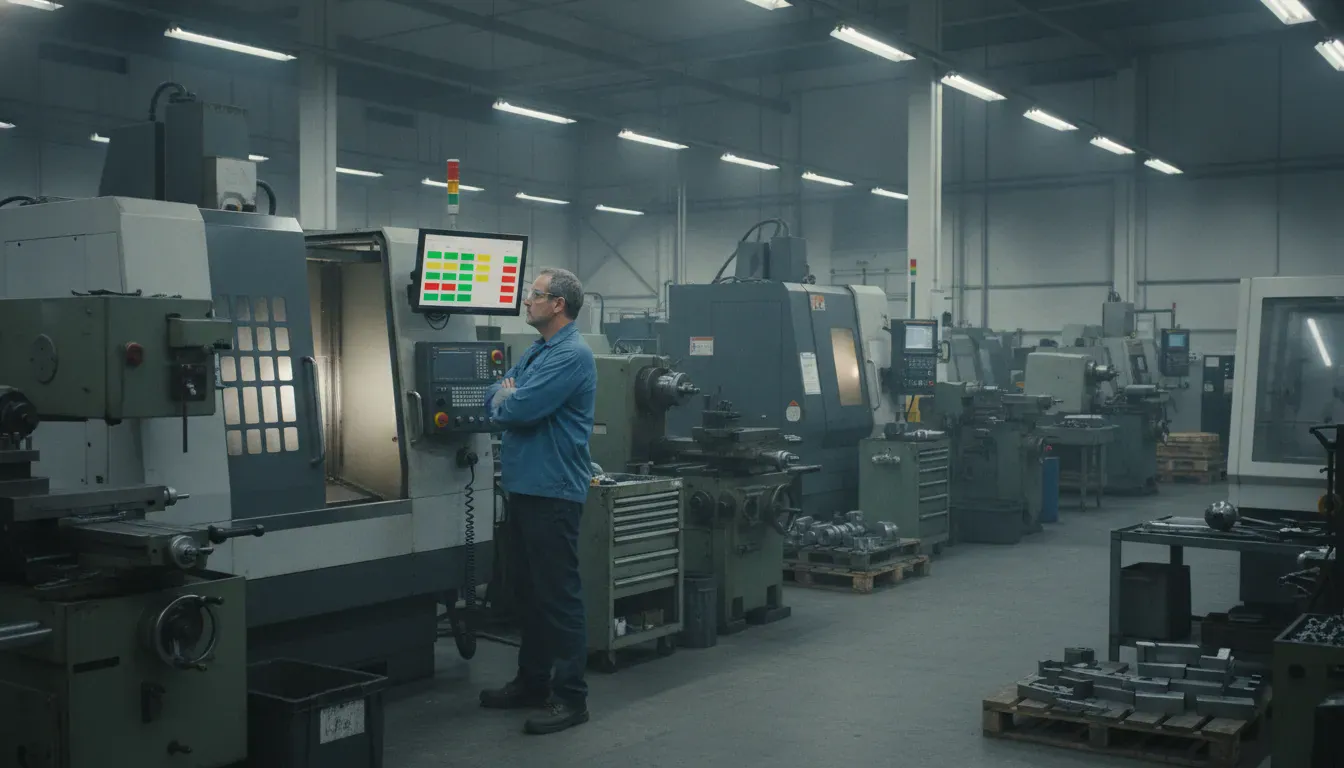
A machine monitoring implementation fails when a plant connects every asset before anyone agrees what “running” means. The useful first result is smaller. Pick a few machines, confirm the live status matches the floor, then give supervisors one screen they will actually open during a shift. JobPack has built that kind of shop-floor visibility since 1992, across more than 1,100 installations, with a typical path from agreement to live production in six weeks.
Call (847) 741-1861 to walk through a pilot cell, or request a live demo.
This guide covers the rollout sequence itself. It is not a software shortlist, an OEE formula lesson, or a full MES program plan. If you are still choosing a tool, start with how to pick a machine monitoring app. Here the job is to go from a pilot to a shop that trusts the numbers.
What a Machine Monitoring Implementation Has to Deliver
Start with the decision the data must support. A scheduler needs to know whether a stopped machine can take a late order. A supervisor needs to know whether the stop is planned. An owner needs a record that is good enough to judge capacity before buying another machine. If the project cannot name those decisions, more sensors will not fix it.
JobPack’s machine monitoring shows the live status of connected equipment so a plant can see bottlenecks and unplanned stops as they happen. Operators can also enter a reason from 64 user-defined activities, such as waiting on parts. Automatic state plus a short human reason is the pair that makes the record usable.
Write the boundary before week one. Monitoring tells you whether a machine is running, idle, or in alarm. It does not, by itself, replace the work order, the schedule, or the quality record. Those stay with shop floor data collection and the scheduler. Keeping that line clear stops the pilot from turning into a second system of record.
Choose the Pilot Before You Touch the Network
Three to five machines is enough for a first cell. Choose assets that run most days, that a supervisor can check against memory, and that cover the connection types you actually have. Include one older machine if legacy equipment is common. Leave the chronic problem machine for later. You need proof that the data is right before you use it to settle an argument.
Name one owner who is on the floor. That person should be able to change a shift calendar or a reason code without a committee. IT still owns the network and the server, but the daily questions come from operators. If the owner sits two buildings away, the first mismatch will wait until the next meeting.
Say, out loud, what the data will not be used for. Operators will ask whether the screen is there to time them. A clear answer, given before the first connection, matters more than a kickoff slide. JobPack trains on the customer’s own work, and the trainers spend time on the floor, which only helps if the purpose is already agreed.
| Pilot choice | Why it belongs in the first cell | Leave it for later |
|---|---|---|
| A machine that runs most shifts. | You can compare the screen with the floor twice a day. | A machine that sits idle for days. |
| One of each connection type you own. | You learn the real wiring and protocol mix once. | Every brand in the building. |
| A supervisor who knows the cell. | Mismatches get checked the same shift. | A remote sponsor with no daily contact. |
| A stable job mix. | Part counts and cycle times are easier to audit. | The machine everyone already argues about. |
Connect the Machines You Actually Have
Survey each pilot machine before anyone orders hardware. Record the control type, whether it is already on the plant network, and which signal you can trust. JobPack connects CNC equipment over Ethernet, MTConnect, OPC UA, or a proprietary protocol, and it publishes a guide for checking which data-acquisition protocol a machine can offer. That check belongs in week one, not at go-live.
Older machines need a different path. JobPack supports legacy equipment with digital I/O hardware and current sensors. The published kits cover common signal types, including a standard 110VAC relay kit and specific kits for HAAS and OKUMA controls. Your electrician usually does that wiring, so book the time before the software date. On a floor full of older machines, the electrician’s calendar is the critical path.
Walk the cell for dead wireless zones before you promise a live screen. A monitoring view is only as current as the network under it. If the wider goal is a connected floor, read how connected shop floors use production data after the pilot is stable. JobPack can be installed on the customer’s Windows server, with shop PCs using shortcuts, or reached through the browser-based AIR platform. Regulated plants often keep the system on premise. Either way, confirm the path from the machine to the screen on the real floor, not on a diagram.
Map the Data Operators Will Recognize
Agree on three states first: running, idle, and alarm. Then separate planned stops from unplanned stops. Planned time includes scheduled maintenance, changeovers, and breaks. Unplanned time is the stop nobody put on the calendar. JobPack tracks that split, and it is the split supervisors argue about when a screen and a memory disagree.
Keep the reason list short. Sixty-four user-defined activities is the ceiling, not the target. Start with the codes a lead can pick without a manual: waiting on parts, waiting on a program, setup, tool change, no operator, and maintenance. If two codes mean the same thing, merge them before go-live. A long list produces blank entries.
Part counts need the same honesty. Compare one shift of hand counts with the system count before anyone sees a performance number. A counter that increments on the wrong signal, or a two-part fixture counted once, will poison every later report. Fix it while only the project team is looking.
Availability also needs the plant’s clock. Load the real shift calendar and the real breaks before you calculate anything. Without those, a machine looks down during a planned lunch. Target cycle times for the pilot parts come next. ISO 22400-2 defines manufacturing KPIs, including equipment effectiveness, so teams have a shared vocabulary. The plant still has to supply its own calendar and standards. The standard does not know your breaks.
Stand Up the First Dashboards
The first screen should answer one question: what is each pilot machine doing right now? Color for running, idle, and down is enough. JobPack’s live status view is built for that glance, from the office or a browser on the floor. Add alerts for an unplanned stop only after the status itself has matched the cell for several shifts.
Show the first numbers to the pilot operators and their supervisor before you show them to management. Ask whether the picture matches the shift they just worked. Sometimes the connection is wrong, and you fix it. Often the memory is wrong, because changeovers and handoffs were never written down. Either result is useful. A slide that skips this check creates a fight you did not need.
Hold OEE until the inputs are boringly correct. JobPack calculates availability, performance, and quality from running time versus planned time, parts booked versus the standard cycle, and good parts versus total parts. That only helps after counts, reasons, and the calendar are trusted. Until then, publish status and lost time. Point people who want the formula to your OEE and ISO 22400 page instead of rebuilding it here.
Once the cell is stable, connect the feed to the systems that already make decisions. JobPack reports into the customer’s ERP and can sit beside finite scheduling, so a stop can change the plan instead of living on a side monitor. Do not promise a custom interface you have not scoped. The practical win is planned-versus-actual time on the jobs those machines already run.
Get the Crew Using the Record
Adoption is a floor habit, not a login metric. Operators need a reason to touch the screen that helps the current job. In JobPack, that reason is usually a short status change, a downtime code, or a quantity, on an uncluttered station. The WIP booking screens are built for that kind of entry, with start and finish stamps that carry a name, a date, and a time.
Train on the pilot cell’s real jobs. JobPack’s implementation includes a project manager, operator training, and a support portal. Customers on an active contract get unlimited phone, email, and online help. On-site training is available when the crew needs someone standing at the machine. Bluco’s team noted that their trainer had used the software as a customer and could explain the process, not only the clicks.
Give each role one action:
- Operators record the reason when a machine leaves the running state.
- Supervisors check the live board at the start of the shift and after any long stop.
- Schedulers compare the stop with the plan before they promise a recovery date.
- Maintenance uses the same reason codes so a repeat fault is visible.
Review the codes after two weeks. Retire the ones nobody picks. Rename the ones people misuse. A list that matches the words already used on the floor will be filled in. A list written in the conference room will not.
Expand Only After the Pilot Holds
Add the next cell when three things are true. The status matches the floor without a daily argument. Reason codes are being used. At least one decision changed because of the screen, such as moving a job or calling maintenance sooner. If none of those is true, more machines will only multiply the doubt.
JobPack is modular, so a plant can start with monitoring and add scheduling, WIP booking, or analytics without a second implementation. AIR is the browser-based option when people need the same view on a phone or a shared PC. Expansion is still a machine-by-machine survey. The second cell may use a different control, a different kit, and a different electrician window.
Keep the history. A month of clean data will show shift patterns and repeat stops. A year of it will support a staffing or equipment decision. JobPack’s data analytics is where that history turns into end-of-day, end-of-month, and end-of-year reports. The monitoring project does not need to design those reports on day one. It does need to send them clean events.
KVI Ultra Precision, which runs tool-and-die, EDM, milling, and turning under one roof, uses JobPack to see a problem weeks before a job is due. That outcome is the point of the rollout. A live status that nobody acts on is only a new screen.
A Six-Week Sequence You Can Run
JobPack’s published implementation path is six weeks, including ERP integration, training, and go-live support. Use it as a cadence, not a promise that every plant is identical. A cell with legacy wiring can spend more of that time with an electrician. A cell of networked CNCs can spend more of it on codes and calendars.
- Weeks 1 and 2 cover discovery. Survey controls, name the owner, set the decisions, and check the network.
- Weeks 3 and 4 cover connection. Install the server or AIR access, wire the pilot, and audit status against the floor.
- Weeks 5 and 6 cover use. Load the calendar, train the crew, run in parallel, and hand the cell to support.
The parallel run matters. Keep the old log until the new record has survived a full mix of jobs, including a changeover and a real breakdown. Then retire the clipboard. Two systems left in place forever means neither one is trusted.
See how a pilot cell would look on your floor. Call (847) 741-1861 or request a live demo.
Frequently Asked Questions
How many machines should the first phase include?
Start with three to five machines that run regularly and cover the connection types you own. Prove the status and the part count before you add the rest of the cell. A smaller pilot is easier to audit against the floor.
Can older machines be included?
Yes, if you have a trustworthy signal. JobPack uses digital I/O and current-sensor kits for equipment that has no modern protocol, including published options for common HAAS and OKUMA signals. Plan the electrician’s time as part of the schedule.
Do operators have to type a novel at every stop?
No. They pick from a short list of user-defined activities. Start with a handful of reasons the crew already says out loud. Expand the list only after people use the first codes correctly.
When should we turn on OEE?
After the shift calendar, break times, part counts, and standard cycle times match reality. OEE built on bad inputs becomes a score nobody believes. Status and lost-time codes are the right first reports.
How is this different from an MES rollout?
Machine monitoring is one module. A full MES implementation also covers scheduling, work orders, and broader data prep. You can start with monitoring and add modules later. You should not treat a status screen as a finished execution system.