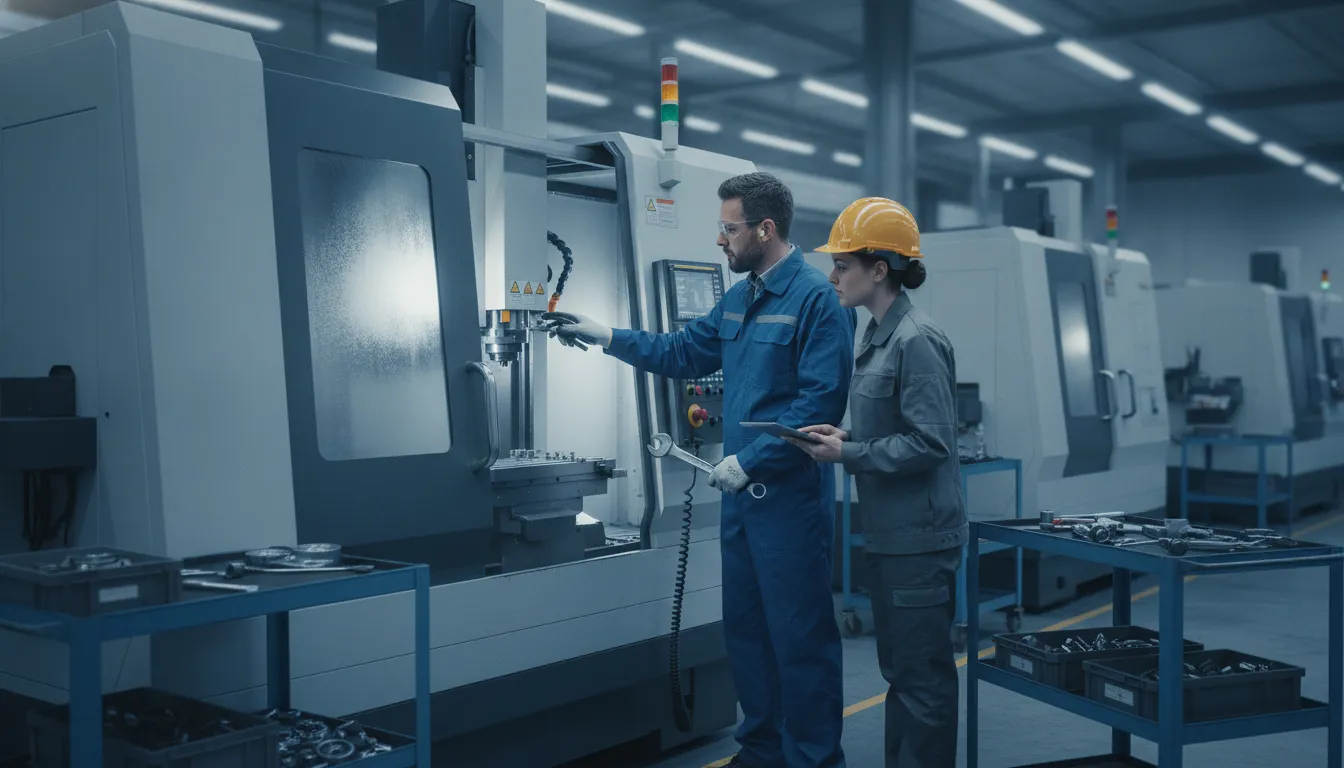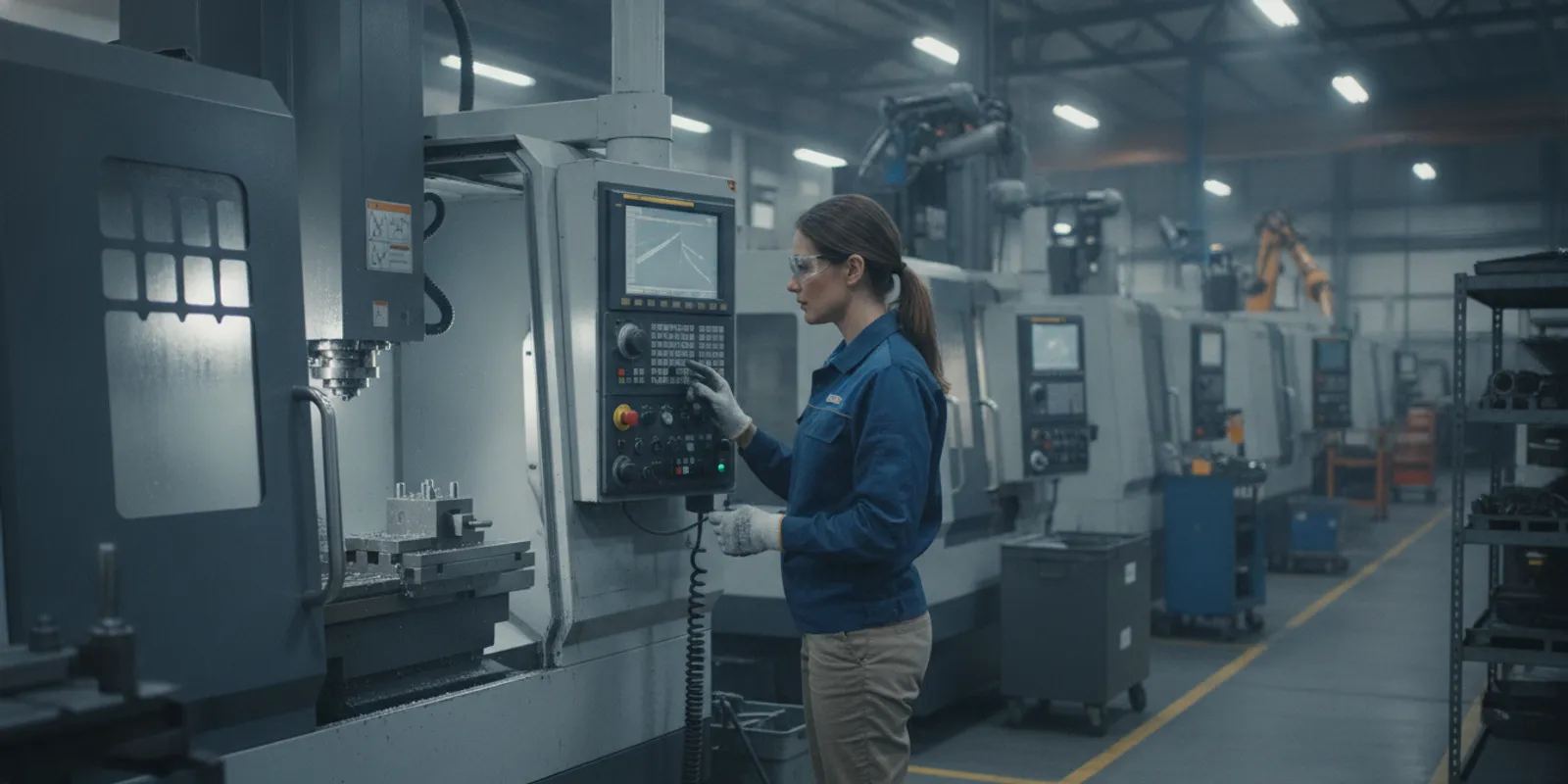
Manufacturing systems often collect more data than a team can use. A machine may report status, temperature, speed, or cycle events, while the ERP tracks orders and inventory. The challenge is preserving those signals with enough context to answer what happened, when it happened, and how it affected production.
A manufacturing data historian collects, stores, and retrieves time-series data from equipment and connected devices. Its value is not just keeping an archive. It also helps organize timestamps, machine context, and related events so engineers and operations teams can analyze trustworthy historical information.
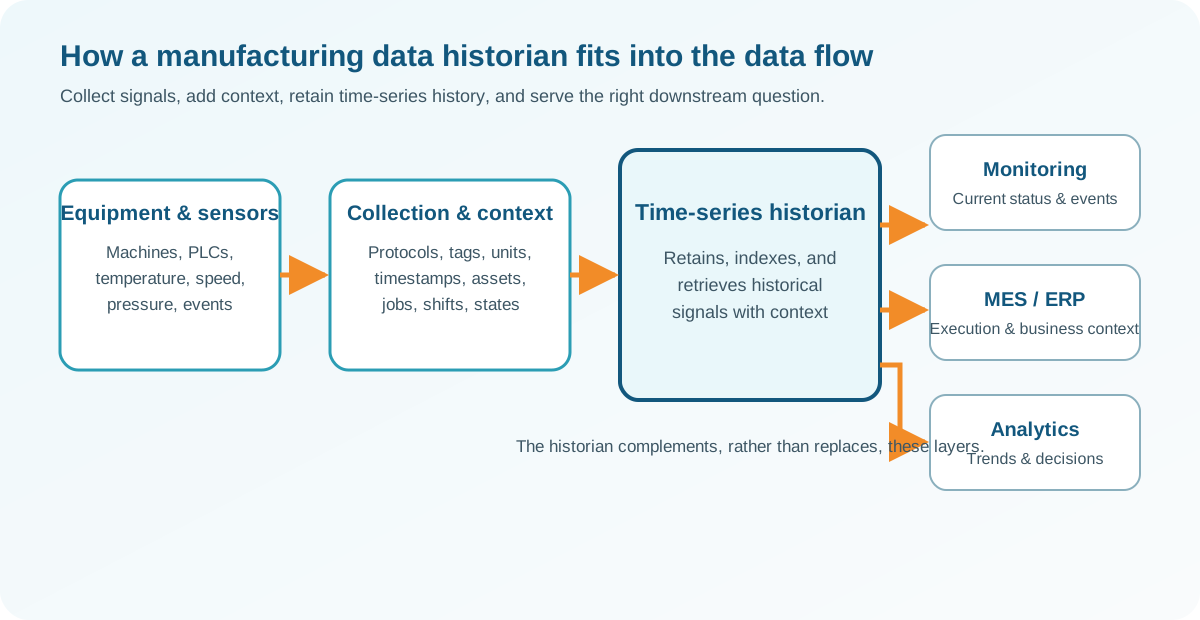
That role is different from displaying current machine status, managing production orders, or summarizing business performance. Understanding the historian’s core architecture makes those boundaries clearer, including where a manufacturing execution platform such as JobPack can complement a historian without replacing it.
What Is a Manufacturing Data Historian?
A manufacturing data historian is a system that collects, stores, and retrieves time-series data from equipment sensors and connected devices. Its purpose is not simply to display the latest machine reading. It preserves a time-ordered record that teams can query later, compare across machines or shifts, and connect to the production conditions that gave each value meaning.
The core architecture: collect, store, retrieve
At the collection layer, a historian receives readings from equipment and other manufacturing data sources. Those readings might describe a machine state, temperature, pressure, speed, position, or another process value. The system records each value with a timestamp, then stores it in a repository designed for time-based queries. When a supervisor or engineer needs to investigate an event, the historian makes it possible to retrieve the relevant window. That is more useful than relying on a screen that only shows current status.
NIST distinguishes between a time-synchronized manufacturing data stream and a queryable repository of archived data. That distinction is useful in practice: live data supports immediate visibility, while stored data supports investigation, comparison, and analysis over time. NIST’s manufacturing data architecture describes both elements.
Tags turn readings into identifiable signals
Historian data is commonly organized around tags or named data points. A tag identifies what a value represents and connects it to an asset, location, or process. A timestamp tells you when the value occurred. Units tell you how to interpret it. Together, these details help prevent a collection of numbers from becoming an unusable data dump.
Manufacturing standards can improve consistency across equipment. NIST describes MTConnect as a domain model that provides structured, contextualized equipment data, with a common vocabulary and consistent units and timestamps for time-series values. That semantic structure helps different systems interpret machine data in compatible ways.
Why an archive needs context
A stored signal is only part of the answer to a manufacturing question. To understand a change, users may also need the machine, job, material, operation, shift, status, or event associated with it. Context allows a team to distinguish a normal setup period from a fault, or a planned stop from unplanned downtime.
Archiving is necessary, but archival data alone is insufficient when the goal is optimization. Carnegie Mellon notes that manufacturing data must be transformed into contextualized, useful information before it can support better decisions about machines and processes. A historian therefore works best as part of a broader data architecture, with clear naming, timestamps, relationships, and defined uses for the information it retains.
How Does a Historian Turn Machine Signals Into Useful Data?
A historian becomes useful when it does more than receive a stream of values. It gives each reading enough structure and context to answer an operational question later. That work usually starts with collecting signals from equipment, then preserving when they occurred, what they measured, and which asset or process produced them.
Start with consistent signals and timestamps
Source collection may include machine readings such as speed, position, program blocks, pressure, or electrical current. The source protocol matters because different machines can describe similar conditions in different ways. MTConnect, for example, provides a manufacturing equipment model and vocabulary intended to create structured, contextualized data. Its time-series streams include values with consistent units and timestamps, making readings easier to compare across equipment and applications (NIST manufacturing data architecture).
Timestamps also provide the basis for event alignment. A signal can be associated with a job, operation, shift, machine state, or maintenance event instead of remaining an isolated number. Without reliable time alignment, it becomes difficult to tell whether a change in a reading happened before, during, or after a production event.
Add tags, metadata, and process context
Tags and metadata explain what a signal represents. Useful metadata can identify the machine, sensor location, unit of measure, data source, product, and process step. In one published discrete-manufacturing dataset, measurements were annotated to link them to one of 24 machine processing steps. That kind of labeling turns a long sequence into segments that can be examined by operation rather than only by clock time (published manufacturing time-series dataset).
Context should be applied without obscuring the original reading. A well-managed pipeline preserves source traceability while adding names, classifications, and relationships that help people and software interpret the data consistently. This is why a manufacturing data historian is more than a storage location: it helps make collected information queryable and reusable.
Separate live monitoring from historical interpretation
Live monitoring answers an immediate question: What is this connected machine doing now? Historical historian work answers questions such as: What happened during that run, and can the same event be compared with earlier runs? The two capabilities can support each other, but they are not interchangeable.
Data quality determines how much confidence anyone can place in either answer. Industrial datasets can contain missing features, missing time intervals, inaccurate values, or inconsistent naming. Validation should therefore check timestamps, units, gaps, duplicate readings, tag definitions, and event associations before downstream analysis. Real-time machine monitoring can help teams see connected-equipment status and respond to events as they happen, while historian architecture provides the structured historical context needed for later investigation.
What Is the Difference Between a Historian, ERP, MES, and Analytics Platform?
These systems may use some of the same production data, but they answer different operational questions. A manufacturing data historian is generally built to collect, retain, and retrieve time-series information from equipment. An ERP manages business transactions and resources. An MES connects production plans with execution on the shop floor. Machine monitoring provides visibility into current equipment conditions, while an analytics platform helps people interpret data and compare performance.
Each system has a different primary job
| System | Role and questions answered |
|---|---|
| Data historian | Purpose: Retains time-series data from equipment and sensors. Questions: What changed over time, and can the history be queried? |
| ERP | Purpose: Manages orders, inventory, purchasing, and production records. Questions: What was ordered, and which work orders should be released? |
| MES | Purpose: Coordinates production execution, work-in-process, and operator activity. Questions: What operation is next, and what happened on the floor? |
| Machine monitoring | Purpose: Shows connected equipment status and operational events. Questions: Which machines are running, waiting, or down? |
| Analytics platform | Purpose: Combines data to analyze trends and performance. Questions: How did actual performance compare with the plan? |
Why the boundaries matter
A historian and a monitoring application are related, but they are not interchangeable. Monitoring may emphasize current status, downtime events, and response. A historian emphasizes the organized retention and later retrieval of time-series values. NIST describes a manufacturing architecture that separates a time-synchronized data stream from a queryable repository of archived manufacturing data: NIST’s manufacturing data architecture. Context also matters. Consistent timestamps, units, equipment names, and operating context make stored values easier to interpret and reuse.
ERP and MES boundaries are also practical rather than absolute. An ERP may provide the work order, while an MES records its execution. A monitoring system may supply machine status, and an analytics platform may combine that status with job, staffing, or scheduling data. Treating every layer as a replacement for the others can create gaps in ownership and reporting.
How JobPack fits into this architecture
JobPack is documented as manufacturing-focused MES software with modular capabilities, not as a dedicated historian. Its machine-monitoring software reports live status for connected equipment, helping manufacturers identify bottlenecks and respond to unplanned downtime. Its shop-floor tools let operators record operation starts and completions for work-in-process tracking, with a username, date, and time attached to completed operations. See manufacturing data collection software for that production-execution context.
JobPack’s analytics offering collects, analyzes, and reports on job, machine, and staffing data while integrating with a customer’s ERP. That is a different role from dedicated historian storage and query services. Manufacturers can therefore evaluate these tools as complementary layers: ERP for business planning, MES and shop-floor collection for execution, monitoring for operational visibility, a historian where retained time-series data is required, and analytics for decision support. JobPack’s manufacturing analytics for job shops can occupy the ERP-integrated reporting and analysis layer without being presented as the historian itself.
When Should a Manufacturer Consider a Historian?
A historian becomes worth evaluating when machine data needs to answer more than what is happening right now. If your team repeatedly investigates why a job, machine, or process behaved differently across shifts, lots, or production runs, a historian architecture can provide the longer-term record and retrieval structure needed for that work.
Investigation is becoming a recurring operational task
Consider a historian when engineers, quality leaders, or supervisors regularly reconstruct machine behavior from disconnected screens, spreadsheets, operator recollections, or short-lived monitoring views. The useful question is often not simply whether a machine stopped. It may be what speed, pressure, temperature, program state, or operating condition preceded the event, and how that pattern compares with earlier runs.
Real manufacturing datasets show why context matters. One discrete manufacturing dataset captured pressure and electrical-current signals at 100 Hz over seven days, then linked each measurement to one of 24 machine processing steps. Those labels made the time series more useful for analysis than an unstructured stream of readings. Read the dataset research.
Data must be retained, connected, and trusted
A historian deserves consideration when the retention question keeps returning: How long should process values remain available? Can the team retrieve data by machine, job, part, shift, or process step? Can different sources be compared using consistent timestamps, units, names, and meanings? NIST describes manufacturing architectures that separate a time-synchronized data stream from a queryable repository of archived data. It also emphasizes collection, transformation, traceability, and interoperability as parts of a useful data infrastructure.
This is especially important as operations generate more data with greater variability and uncertainty. Before choosing a platform, define the sources to connect, the questions users need to answer, the context that must travel with each measurement, and the people responsible for data quality. A trusted archive is more valuable when users can understand and retrieve the information without guessing what a tag or timestamp means. For a related foundation, review shop-floor data traceability.
Multiple systems need a durable evidence layer
Historian architecture can also make sense when machine controls, sensors, SCADA, MES, quality systems, and ERP records each hold part of the story. The goal is not to replace every existing system. It is to establish a dependable time-series record that downstream teams can use for troubleshooting, process review, compliance support, and improvement analysis.
That decision should remain practical rather than automatic. Manufacturing data technologies are not one-size-fits-all solutions, and they must fit existing operations and human workflows. If the need is limited to live equipment status or production completion records, a focused monitoring or shop-floor system may be sufficient. If the business needs repeated, contextualized investigation across multiple sources and longer time horizons, a historian is more likely to justify its place in the architecture.
How Do You Plan a Historian Integration?
A successful integration starts with the decisions the data must support, not with a connector or database choice. A manufacturing data historian may receive a steady stream of machine values. But those values become useful only when people can identify what they represent, when they occurred, and which job, asset, or process they belong to. NIST distinguishes between a time-synchronized data stream and a queryable repository for archived manufacturing data, a useful model for planning the flow from equipment to analysis. NIST’s smart manufacturing architecture guidance provides additional context.
1. Define the questions and boundaries
Start by listing the operational questions the integration must answer. Examples include: What happened before a quality event? Which conditions were present during a cycle? How often does a machine enter a downtime state? How long must the supporting data remain available? Separate these questions from requests that belong in an MES, ERP, or dashboard. This prevents the historian from becoming an undefined repository for every available signal.
2. Inventory sources, protocols, and context
Document each machine, controller, sensor, gateway, and existing application that may provide or consume data. Record the protocol, sampling behavior, time source, units, tag names, and connection owner. If equipment uses different naming conventions, establish a common vocabulary before building reports. MTConnect is one example of a manufacturing information model that supports structured, contextualized data and semantic interoperability. Its stream data includes timestamps and consistent units, which are essential for comparing readings across assets. See NIST’s guidance on collecting and reusing manufacturing equipment data.
- Model context and tags. Map raw values to assets, locations, operations, jobs, shifts, states, and units. Define how events and annotations will be represented so a value can be interpreted later, not just displayed now.
- Set retention and access rules. Decide which data needs high-resolution retention, which can be summarized, who may query it, and how access will be audited. Base the policy on actual use cases, compliance needs, storage constraints, and the cost of retrieving historical records.
- Validate data quality. Test clocks, units, tag meanings, missing intervals, duplicate readings, impossible values, and downtime annotations. Manufacturing datasets can contain missing features, missing time intervals, and inaccurate data, so validation is part of the integration, not a later cleanup task.
- Connect downstream systems deliberately. Define the interface for ERP, MES, quality, maintenance, and analytics applications. Specify whether each consumer needs live values, historical queries, event summaries, or curated exports. A shop-floor data collection layer can supply production context alongside equipment data without implying that every system must be replaced.
3. Pilot, document, and expand
Begin with a bounded process, a small set of assets, and a measurable question. Confirm that timestamps, context, permissions, and downstream queries work together before expanding. NIST notes that manufacturing data technologies are rarely one-size-fits-all solutions; integration should fit existing operations and the people who use the information. Document ownership, naming rules, failure handling, and change control so the architecture remains usable as equipment and processes evolve.
How Does JobPack Fit Alongside a Manufacturing Data Historian?
A manufacturing data historian and JobPack can serve different, complementary purposes in a discrete manufacturing environment. A historian is generally used to collect, retain, and retrieve time-series process data from equipment. JobPack is documented as manufacturing execution and operations software focused on visibility, work-in-process, scheduling, and practical shop-floor reporting.
That distinction matters when designing a connected plant. JobPack is not documented as a dedicated historian, so it should not be positioned as a replacement for historian-specific storage, compression, high-frequency archival, or historian query services. Instead, it can use operational data to help supervisors understand what is happening on the floor and act on it.
Where JobPack adds shop-floor context
JobPack’s machine-monitoring capabilities show the live status of connected equipment, helping manufacturers identify bottlenecks and respond to unplanned downtime as it happens. Machine data can also support OEE, equipment utilization, and scheduling decisions. Operators can add operating conditions and status changes through user-defined activities, which gives a production team context that a raw equipment stream may not provide. See the machine monitoring capabilities for more detail.
JobPack also supports WIP and shop-floor collection. Operators can record the start and completion of scheduled operations, while completed operations are stamped with a username, date, and time. Those records help connect work orders to actual production progress and create a detailed historical production record. This is execution and traceability context, not proof of historian-grade process-value archiving.
How ERP, analytics, and scheduling connect
JobPack’s documented analytics capabilities, including JobFacts, help users analyze job, machine, and staffing data. The analytics offering integrates with a customer’s ERP so operational information can be viewed alongside broader business data. Explore JobPack’s manufacturing analytics for its reporting and analysis scope. Job queues can also be driven by work orders released from JobPack Scheduler or an existing ERP system, supporting a connected planning-to-execution workflow. Its production scheduling capabilities can add planned-versus-actual context to shop-floor decisions.
In practice, a historian may remain responsible for long-term equipment time series while JobPack helps teams monitor current conditions, capture WIP progress, analyze production performance, and schedule work. The right architecture depends on the questions the plant needs to answer, the data each system owns, and how those systems exchange information.
Frequently Asked Questions
What is the role of a historian in manufacturing?
A historian collects, stores, and retrieves time-series data from equipment sensors and connected devices. Its value is not just keeping an archive. It also helps users connect readings with timestamps, equipment context, and production events so they can investigate trends, compare conditions, and reuse the data for analysis. NIST distinguishes between a time-synchronized data stream and a queryable repository of archived manufacturing data: NIST explains that distinction in its smart manufacturing test-bed research.
What is the difference between SCADA and a manufacturing data historian?
SCADA generally focuses on supervising and controlling industrial processes, including live status, alarms, and operator interaction. A historian focuses on retaining and retrieving time-series data over time for investigation, reporting, and analysis. They often work together: SCADA can provide current process data, while a historian preserves selected data and context for later queries. The exact division depends on the plant architecture, connected equipment, retention needs, and the way tags and events are modeled.
How does a historian work with an ERP or MES?
An ERP typically manages business transactions such as orders, inventory, and resource planning, while an MES coordinates and records manufacturing execution on the shop floor. A historian adds a time-oriented record of equipment and process data. These systems can exchange context, but they are not interchangeable. For example, an MES may associate an operation with a job and operator, while the historian preserves machine readings that help explain what happened during that operation.
When should a manufacturer consider a historian?
Consider one when time-series data is growing, equipment sources are difficult to compare, or teams need to investigate conditions after an event rather than rely only on live screens. It can be especially useful when you need consistent timestamps, longer-term retrieval, and shared context across machines or processes. Start by defining the questions the data must answer and the retention, access, and integration requirements. Manufacturing data technologies are not one-size-fits-all solutions, so the historian should fit the existing operation.
Is JobPack a dedicated manufacturing data historian?
No. JobPack should not be treated as a dedicated historian or as a replacement for one. Its documented capabilities include machine monitoring, shop-floor data collection, ERP-integrated manufacturing analytics, and production scheduling. Those tools can complement a historian by adding job, operation, WIP, and performance context, but any historian-specific retention, storage, or query requirements should be evaluated separately.
Every historian project should connect to a practical shop-floor question, such as understanding downtime, improving traceability, or comparing actual production with the plan. JobPack can help manufacturers evaluate the related work of machine monitoring, production scheduling, shop-floor collection, and ERP-integrated analytics while keeping historian responsibilities clearly defined.
Request a demo to discuss your manufacturing data and shop-floor visibility goals with JobPack.