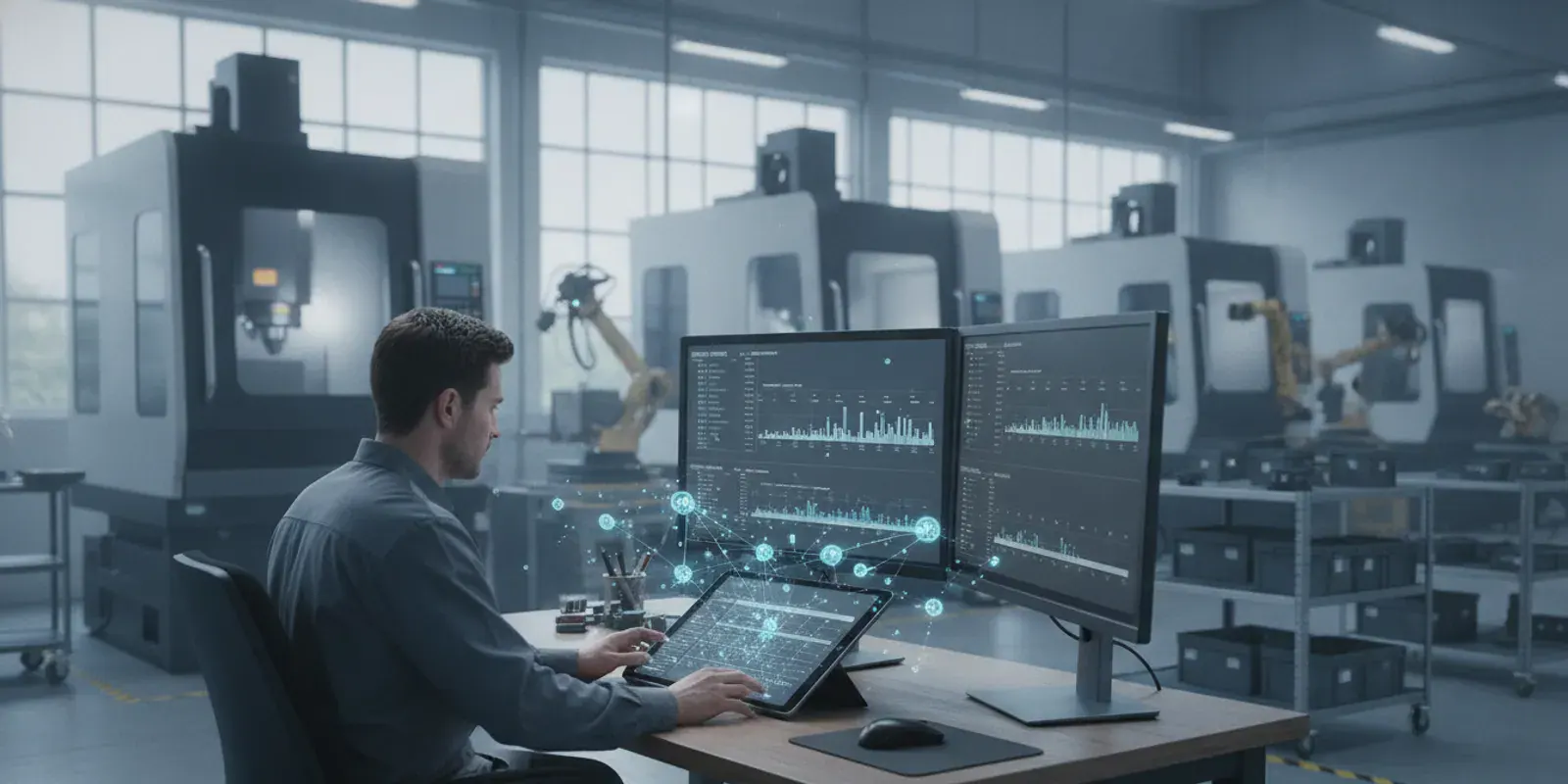
You know it’s time to ditch the whiteboard, but where do you start? For many machine shops, the logical first step is to explore machine shop scheduling software free of charge. This approach lets you get a feel for digital planning and see the immediate benefits without dipping into your budget. This article is your complete guide to making that transition smoothly. We’ll cover the essential features you should look for, compare some of the most popular free options, and walk you through a simple four-step implementation plan. We’ll also help you recognize the signs that your growing business is ready to upgrade to a more powerful solution.
Key Takeaways
- Start with a free tool to get organized: Making the switch from spreadsheets to a free scheduling tool is a low-risk way to improve your workflow, see an increase in production, and get a better handle on your operational costs.
- Know the limits of free software: Free tools are a great entry point, but they come with trade-offs like user caps, limited features, and no dedicated support, which can slow you down as your business expands.
- Plan your upgrade path: You’ll know it’s time to move to a paid system when you consistently hit software limits, need real-time machine data, or require advanced analytics to make smarter business decisions.
What Can Free Machine Shop Scheduling Software Do for You?
If you’re still using spreadsheets or a whiteboard to manage your shop’s schedule, you know how quickly things can get chaotic. A single rush job or unexpected machine downtime can throw the entire week off track. This is where scheduling software comes in. Even a free tool can bring a new level of order to your operations, giving you a clearer view of your workload and capacity. Think of it as a foundational step toward better planning, helping you make smarter decisions on the fly and get more work out the door without the constant stress.
Increase Production Throughput
One of the most immediate benefits you’ll see is an increase in production throughput. This simply means getting more finished parts out the door in the same amount of time. By creating a clear, centralized schedule, you can minimize machine idle time and ensure a smoother workflow between jobs. Studies show that shops can see a 5-15% increase in production with better production scheduling. A digital schedule helps you identify potential bottlenecks before they cause a major backup, allowing you to adjust priorities and keep production moving. It’s a big step up from guessing which job should run next.
Gain Control Over Operations and Costs
A well-organized schedule gives you much tighter control over your operational costs. When you know exactly what needs to be produced and when, you can use your resources more effectively. This means less money tied up in raw materials that are just sitting there and reduced waste from last-minute changes or production errors. It also helps you manage labor costs by minimizing overtime caused by inefficient planning. By optimizing how you use your machines and materials, you can produce more with the same amount of effort, directly impacting your bottom line. This visibility is the first step toward true shop floor data collection.
Improve On-Time Delivery and Customer Satisfaction
Ultimately, a better schedule helps you keep your promises to customers. Consistently meeting deadlines is key to building trust and earning repeat business. With a clear production plan, you can provide more accurate delivery estimates and reduce the risk of unexpected delays. This reliability becomes a major competitive advantage. Good scheduling also helps minimize mistakes that happen when your team is rushing to complete a late order. When your shop runs smoothly, you produce higher-quality parts and deliver them on time, which is exactly what keeps customers happy and coming back for more. Many shops find this improvement alone makes exploring scheduling software worthwhile, as shown in these case studies.
The Best Free Machine Shop Scheduling Software Options
Exploring free software is a practical first step toward better shop floor organization. These tools can give you a feel for digital scheduling and help you identify what features are most critical for your team. While free options often come with limitations in terms of features, support, and scalability, they provide a no-cost entry point for improving your processes. Below are some of the most popular free and open-source machine shop scheduling software options available, each with its own unique strengths.
JobPack (Free Trial)
While JobPack is a premium scheduling solution, you can experience its full capabilities through a free trial. This approach lets you test-drive a comprehensive system designed specifically for manufacturing. You can see firsthand how real-time machine monitoring and a visual, drag-and-drop scheduling board can transform your workflow without any initial investment. A trial is the perfect way to benchmark what a dedicated tool can do for your shop’s efficiency and on-time delivery rates. It helps you build a clear business case for investing in a powerful system by showing you the potential return. You can request a demo to see how it works.
Frepple
Frepple is an open-source planning tool that integrates with your existing ERP system. Because it’s hosted online, your team can access it from anywhere. It’s a solid choice for mid-sized companies looking to improve their planning without a major overhaul. Key features include visual dashboards, drag-and-drop rescheduling, and the ability to run “what-if” scenarios to see how changes might impact your timeline. Frepple also helps with inventory management and can predict delivery dates, giving you a clearer view of your operations. Its focus on finding bottlenecks makes it a useful tool for shops aiming to smooth out their production flow.
OpenPro
OpenPro is an open-source software that offers a suite of manufacturing tools, including master scheduling and resource planning. It’s particularly well-suited for companies that need to do long-term planning, as it can forecast demand and purchases up to three years in advance. This makes it a good fit for businesses with factories in multiple locations or those managing complex, long-lead-time projects. OpenPro includes analytics dashboards, tools for managing bills of materials (BOM), and work orders. It also provides inventory control and helps track supplier payments, offering a broad range of functions beyond basic scheduling.
Axelor
Positioned as a flexible and scalable alternative to larger, more expensive business systems, Axelor is an open-source platform that can grow with your company. One of its main strengths is its ability to connect with many other parts of your business, including marketing, HR, and finance. For the shop floor, it offers visual dashboards, tracks materials through the production line, and calculates resource utilization. This integrated approach helps ensure that your manufacturing operations are aligned with your broader business goals. If you’re looking for a system that can eventually manage more than just scheduling, Axelor is worth considering.
ErpNext
ErpNext is another open-source tool where production scheduling is one module within a larger business management software. It’s designed to help you manage job tasks, production schedules, and inventory all in one place. Its features include capacity and resource planning, automatic restocking of materials, and multi-language support, which is helpful for teams with diverse backgrounds. ErpNext also comes with built-in reporting and analytics to give you insights into your performance. Because it’s part of a full ERP, it’s a good option for shops that want an all-in-one solution for managing their entire business, not just the factory floor.
Odoo Manufacturing
Odoo is a popular free and open-source software with a dedicated manufacturing module designed to help you manage production from start to finish. It’s a comprehensive tool that covers planning, bills of materials, maintenance, supply chain, and warehouse management without requiring expensive add-ons. Key features include dashboards for visual reporting, automation of shop floor tasks using barcodes, and the ability to group orders for more efficient production runs. Odoo also helps you plan work orders and manage your BOMs effectively, making it a powerful, all-in-one option for shops that need to control their entire manufacturing process.
Key Features to Look for in Free Scheduling Software
When you start exploring free scheduling software, you’ll quickly notice they aren’t all the same. Some are little more than glorified spreadsheets, while others offer surprisingly robust features. Knowing what to look for can save you from a lot of frustration down the road. The right tool, even a free one, should make your job easier, not more complicated.
Focus on finding a solution that provides clear visibility into your operations and is simple for your team to use. Key features like real-time data integration, a visual scheduling board, and basic reporting can make a huge difference in managing your shop floor effectively. Let’s look at the essential features you should prioritize in your search.
Real-Time Data and Machine Integration
The most significant leap you can make from manual scheduling is gaining access to real-time information. Instead of relying on operators to jot down cycle times and completion data, the software should ideally pull this information directly from your machines. Tools that connect to your equipment for real-time data collection can drastically reduce errors and save hours of administrative work.
While many free options lack direct machine integration, look for ones that at least make manual data entry quick and painless. The goal is to get an accurate, live picture of what’s happening on the shop floor. This allows you to react instantly to delays or unexpected downtime, keeping production on track and minimizing disruptions. An accurate schedule depends on accurate data.
A User-Friendly Visual Scheduling Board
Your production schedule shouldn’t be a puzzle. The best scheduling tools use a visual, drag-and-drop interface, sometimes called a Gantt chart or a Trello-style board, to display your workflow. This makes it incredibly easy to see the status of every job, identify potential bottlenecks, and understand resource capacity at a glance. You can quickly adjust priorities or reassign tasks without having to rework a complex spreadsheet.
A clear visual layout is essential for team adoption. If your schedulers and operators find the software intuitive, they’re more likely to use it consistently. A powerful production scheduling system should feel like a command center for your shop floor, giving you complete control and clarity over every moving part.
Adapts to Your Shop’s Workflow
Every machine shop is unique, with its own set of processes, machines, and challenges. A one-size-fits-all scheduling solution rarely works. While free software often has limitations, you should look for a tool that offers some level of customization. Can you define custom work centers, account for machine setup times, or manage different employee shifts?
Your software should support your workflow, not force you to change it. Consider your shop’s complexity. A small shop with just a few jobs a week might do fine with a simple tool, but a growing operation needs a system that can scale. The right software will be flexible enough to adapt to your needs as your business evolves.
Basic Reporting and Analytics
How do you know if your scheduling efforts are paying off? You need data. Even a free tool should provide basic reporting and analytics to help you measure performance. Look for features that can track key metrics like on-time delivery rates, machine utilization, and job profitability. These reports give you the insights needed to make informed decisions.
Good scheduling software helps you see beyond the day-to-day rush. It allows you to spot trends, manage inventory more effectively, and improve communication with suppliers. By turning raw shop floor data into actionable data analytics, you can continuously refine your processes and improve overall efficiency.
Free vs. Paid Software: What Are the Trade-Offs?
The word “free” is tempting, especially when you’re trying to run a lean operation. Free machine shop scheduling software can seem like the perfect solution to get organized without impacting your bottom line. And for some shops, it can be a great starting point. But it’s important to remember that “free” rarely means without cost. The price you pay might not be in dollars, but in limitations, time spent on workarounds, and potential risks to your operation.
Choosing between a free tool and a paid system is about understanding what your shop needs right now versus where you want it to be in the future. A free option might solve an immediate problem, like getting your job schedule off a whiteboard and onto a screen. However, as your business grows, you may find these tools create new bottlenecks. The key is to weigh the immediate benefit of no upfront cost against the long-term trade-offs in functionality, support, and scalability. Let’s break down what you can expect.
The Pro: No Upfront Cost
Let’s be honest, the biggest advantage of free software is right in the name. For small manufacturing shops or those just starting to formalize their production scheduling, avoiding a hefty upfront investment is a major win. You get to implement a system, organize your workflow, and see the benefits of digital scheduling without touching your budget. This allows you to test the waters and figure out what features are most important to your team before committing financially. If your primary goal is to move away from manual spreadsheets or a physical scheduling board with minimal financial risk, a free tool is an excellent first step.
The Con: Common Feature and User Limits
Here’s where the trade-offs begin. Free software almost always comes with limitations designed to encourage you to upgrade. Many free plans cap the number of users who can access the system or limit the number of active jobs you can manage at one time. While a five-user or 50-job limit might work for a small team, it can quickly become a roadblock as your shop grows. You might also find that essential features, like real-time data analytics or direct machine integration, are locked behind a paywall. These limitations mean you get a basic framework for scheduling, but not the powerful, data-rich insights that drive true efficiency.
The Risk: No Dedicated Support
When your scheduling software goes down in the middle of a critical run, who do you call? With most free tools, the answer is nobody. You’re typically left to troubleshoot on your own by searching through community forums or online documentation. This lack of dedicated support is one of the biggest risks of relying on free software. A paid solution, on the other hand, includes a support team whose job is to get you back up and running quickly. The time your team spends fighting with a buggy or confusing free tool is time they aren’t spending on production, which can easily cost you more than a software subscription.
Common Implementation Challenges to Expect
Choosing a free scheduling tool is a great first step, but it’s smart to go in with your eyes open. While you’re saving on upfront costs, you might face a few hurdles during implementation. Thinking through these potential challenges ahead of time will help you create a smoother transition for your team and your operations. Being prepared for these common issues can make the difference between a frustrating experience and a successful one.
Integrating with Existing Systems
One of the biggest challenges with free software is getting it to communicate with your other systems, like your ERP. Without a direct connection, you’re left with manual data entry, which is time-consuming and a major source of errors. Your team will spend hours typing in job details, cycle times, and completion statuses instead of focusing on production. Tools that offer seamless shop floor data collection by connecting directly to machines can significantly reduce these errors and free up valuable time. When evaluating a free tool, consider how much manual work will be needed to keep it in sync with the rest of your shop’s software.
Working Around Limited Customization
Free scheduling tools are typically built with a one-size-fits-all approach. They offer basic functionality but often lack the flexibility to adapt to your shop’s specific workflow. You might find yourself changing your processes to fit the software’s limitations, which can create inefficiencies. As one analysis points out, cheaper tools often mean more manual work, while more automation requires a greater investment. If your shop has unique routing, multi-machine setups, or specific reporting needs, you may spend a lot of time creating workarounds that a more adaptable system could handle automatically. This is why it’s important to understand why JobPack might be a better fit for your specific needs.
Maintaining Data Security and Accuracy
When you use free, cloud-based software, it’s crucial to ask questions about data security. Who owns your data, and what measures are in place to protect it? Beyond security, data accuracy can become a problem due to software limitations. Many free versions limit the number of users or active jobs you can manage. When you hit these limits, teams often resort to using external spreadsheets or documents to track work, creating multiple versions of the truth. This makes it nearly impossible to rely on your system for accurate reporting and informed decision-making, which is the foundation of strong data analytics.
Handling Team Training and Adoption
A new tool is only effective if your team uses it correctly, and that requires training and buy-in. Free software rarely comes with dedicated customer support or structured training programs, putting the responsibility entirely on your shoulders. You’ll need to develop your own training materials and get everyone on board. Getting your team to adopt a tool that is clunky or requires complicated workarounds can be a tough sell. Successful implementations, as seen in many case studies, often depend on strong vendor support and a system that’s intuitive for everyone, from planners to operators on the shop floor.
4 Steps for a Smooth Implementation
Switching to a new scheduling system, even a free one, requires a solid game plan. A thoughtful approach will help you avoid common headaches and get your team on board faster. By breaking the process down into manageable steps, you can ensure the software actually solves the problems you need it to, without disrupting your entire workflow. Think of it as building a strong foundation before you put up the walls. Here’s a straightforward, four-step process to guide you from planning to a successful launch.
Step 1: Define Your Scheduling Needs and Goals
Before you download anything, take a moment to get clear on what you want to achieve. What are the biggest scheduling headaches you’re facing right now? Maybe it’s unexpected machine downtime, trouble tracking operator availability, or late deliveries. List your top three to five challenges. Then, decide how you’ll measure success. Do you want to increase parts per hour by 10%? Or improve your on-time delivery rate to 98%? Having specific, measurable goals for your production scheduling will help you choose the right tool and know if it’s actually working for you down the line.
Step 2: Plan for Data Migration and System Integration
Next, figure out how you’ll get your existing information into the new software. You’ll likely start by manually importing data using spreadsheets or CSV files. This includes things like work orders, job routing, and parts lists. As you get more comfortable, you can explore ways to capture data directly from your machines and operators. Think about how the new tool will fit with your current systems, like your ERP. A good plan for data migration prevents errors and ensures your team has the accurate information they need from day one.
Step 3: Train Your Team and Run a Pilot Test
Getting your team comfortable with a new tool is critical. Keep training sessions short and focused on each person’s specific role. An operator might only need an hour of training, while a planner may need a full day. Once everyone has the basics down, run a pilot test for a few weeks. Don’t try to roll it out across the entire shop at once. Instead, pick one or two work centers to test the software. This gives you a chance to work out any issues in a controlled environment and build momentum as your team sees the positive results firsthand.
Step 4: Monitor Performance and Plan for the Future
During your pilot test, keep your old manual scheduling system running in the background as a safety net. This lets you compare results and ensures you don’t fall behind if you hit a snag. Use the goals you set in the first step as your benchmark. Are you seeing the improvements you hoped for? Use the software’s reporting features to monitor performance and track your progress. This data will not only prove the value of the new system but also help you identify areas for further improvement as you plan for a full-scale rollout.
How to Know When It’s Time to Upgrade
Free scheduling software can be a fantastic starting point for getting your shop’s production in order. It helps you organize jobs, track progress, and get a handle on your workflow without a big financial commitment. But as your business grows, you’ll likely find that the very tool that helped you get organized is now holding you back. Hitting the limits of a free system isn’t a failure; it’s a sign of success. It means you’re taking on more work, expanding your team, and need a solution that can keep up with your ambitions.
Recognizing the signs that you’ve outgrown your current software is the first step toward finding a system that can support your next phase of growth. These growing pains often show up as operational friction, like struggling to manage an increasing number of jobs, lacking the data you need for smart planning, or spending too much time on manual data entry. If these challenges sound familiar, it’s probably time to explore a more powerful, professional scheduling solution. A paid system isn’t just an expense; it’s an investment in your shop’s efficiency, profitability, and future.
Your Shop Outgrows the Software’s Limits
One of the most obvious signs it’s time for an upgrade is when you physically hit the ceiling of what your free software allows. Many free versions limit the number of users who can access the system or cap the number of active jobs you can manage, often somewhere between 50 and 200. When you consistently find yourself trying to work around these restrictions, your scheduling tool has become a bottleneck. Instead of enabling growth, it’s stifling it. This is the point where a more advanced production scheduling system becomes essential to handle your increasing workload without compromise.
You Need Advanced Analytics and Forecasting
While free tools might give you a basic snapshot of your daily operations, a growing shop needs to look further ahead. To truly optimize production, you need to move from reacting to problems to proactively preventing them. This requires robust data analytics and forecasting capabilities that free software rarely offers. An advanced system helps you analyze historical performance to identify trends, predict future demand, and make informed decisions about capacity and resources. This allows you to ensure you can always meet customer demand and maintain a competitive edge.
You Need Deeper System Integration
Are you still relying on someone to walk the floor and manually enter job statuses or cycle times into your scheduling software? That process is not only slow but also full of opportunities for human error. A key advantage of professional software is its ability to integrate directly with your machines and other business systems, like your ERP. Real-time machine monitoring automatically feeds accurate production data into your schedule, eliminating guesswork and saving valuable time. This deep integration creates a single source of truth that gives you a precise, up-to-the-minute view of the entire shop floor.
Related Articles
- The Ultimate Guide to Job Shop Manufacturing Software
- Job Shop Production Scheduling Software
- 8 Best Free Job Shop Scheduling Software
- The Ultimate Guide to Job Shop Scheduling Software
- 5 Best Machine Planning Software Picks
Frequently Asked Questions
My shop is small. Is scheduling software overkill for us? Not at all. In fact, smaller shops can see some of the biggest benefits from getting organized early. Scheduling software helps you make the most of the resources you have, ensuring your machines and people are always working on the right jobs. It gives you a professional way to provide accurate delivery dates to customers and helps you spot potential problems before they cause major delays, which is crucial when you have a small team.
What’s the biggest risk of using a free scheduling tool? The most significant risk is the lack of dedicated support and potential data issues. When something goes wrong, you’re often on your own to fix it, which can lead to costly downtime. Additionally, as your shop grows, you might find that free tools can’t keep up. You may end up with inaccurate data split between the software and separate spreadsheets, which defeats the purpose of having a centralized system in the first place.
How much time should I expect to spend setting up a new system? The setup time really depends on the complexity of your shop and how organized your data is. For a simple, free tool, you could be up and running in a day or two if you have your job lists and work center information ready. The key is to start small. Plan to run a pilot test in one area of your shop for a few weeks to work out any kinks before you roll it out to everyone.
Will my team actually use this, or will it just be another thing they ignore? That’s a valid concern, and it often comes down to two things: simplicity and involvement. Choose a tool with a clean, visual interface that is easy to understand at a glance. More importantly, involve your team in the selection and implementation process. When they understand how the software makes their jobs easier, for example by reducing confusion about what to work on next, they are far more likely to embrace it.
Why should I try a free trial of a paid system like JobPack instead of just using a completely free tool? A free trial gives you a realistic preview of what a professional, fully-featured system can do for your shop. While completely free tools are great for basic organization, a trial lets you experience advanced features like real-time machine monitoring and deep integration with your other business systems. This helps you build a clear picture of the return on investment and understand how a more powerful tool can solve deeper operational challenges.