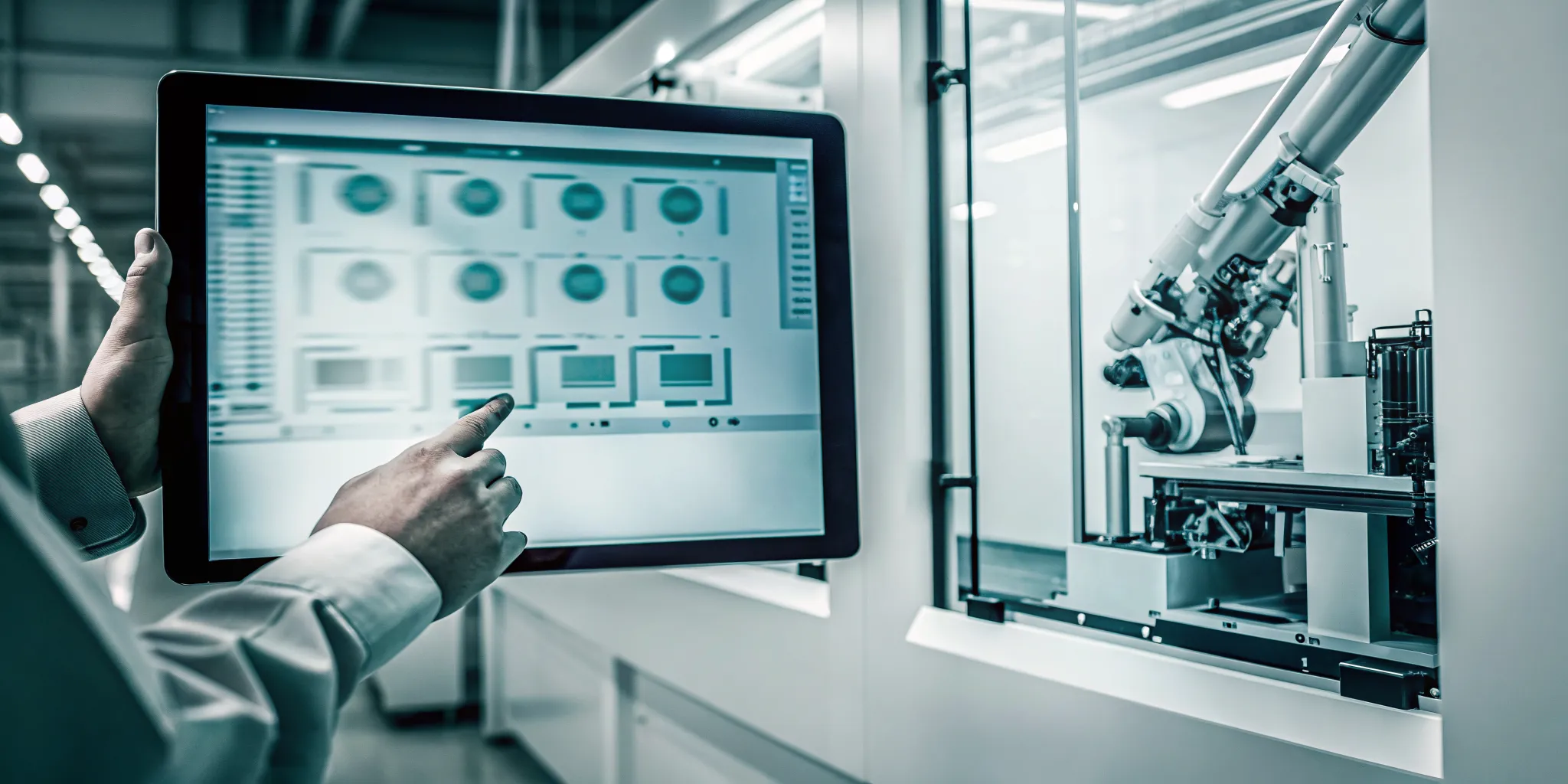
Does your day feel like a constant cycle of putting out fires? One minute a machine goes down unexpectedly, the next a priority order throws the entire schedule into chaos. This reactive mode of operating is exhausting and inefficient. What if you could move from constantly solving problems to proactively preventing them? That’s the fundamental shift that machine planning software offers. By giving you real-time data and predictive insights, it allows you to spot potential issues before they become major delays. This guide explains how to make that transition, covering the essential features, implementation strategies, and real-world benefits of a more controlled, proactive manufacturing environment.
Key Takeaways
- View software as your operational hub: The best machine planning tools do more than just schedule jobs; they connect scheduling with live machine monitoring and data analytics to give you a complete, real-time view of your shop floor, enabling proactive management.
- Prioritize fit, integration, and scalability: Choose a solution that your team finds easy to use and that connects seamlessly with your existing ERP system. The right software should adapt to your specific workflows and be able to grow with your business.
- Plan your implementation for a clear ROI: A successful rollout starts with clear goals. Prepare your team with training, clean up your data before you begin, and set key metrics like OEE and cycle times to accurately measure the software’s impact.
What is Machine Planning Software?
Think of machine planning software as the digital command center for your manufacturing operations. It’s a tool that helps you organize, control, and track everything required to make your products. Instead of juggling spreadsheets, paper schedules, and constant check-ins, this software gives you a single, clear view of your entire production process. You can plan timelines, assign materials and workers to specific jobs, and see exactly how work is progressing from start to finish.
The main goal is to bring order to the natural chaos of a busy shop floor. By centralizing all this information, you can make sure everyone is on the same page, resources are used effectively, and potential bottlenecks are spotted before they cause major delays. It’s about moving from reactive problem-solving to proactive planning, giving you the control you need to deliver on time and on budget. This shift allows your team to focus on quality and execution rather than constantly fighting fires or searching for the latest production schedule. It transforms complex data into a clear, actionable plan that everyone, from the shop floor to the front office, can follow.
Key Components to Know
When you start looking at different software options, you’ll notice they share a few core components. The best systems combine scheduling, inventory management, resource allocation, and data analysis into one cohesive platform. Look for features like interactive Gantt charts for visual scheduling, capacity planning to avoid overloading your machines, and real-time dashboards that give you an instant snapshot of shop floor activity. Strong data analytics and reporting tools are also crucial, as they turn raw production data into insights you can use for continuous improvement. These components work together to give you a complete picture of your operations.
How It Integrates with Your Operations
This software doesn’t just sit on a computer in the main office; it becomes an active part of your daily workflow. It integrates with your operations by pulling all your schedules into one place, making it easy to see what needs to be done and when. As jobs progress, the system provides real-time updates, allowing you to monitor progress without walking the floor constantly. This level of production scheduling helps you make the best use of your machines and people. If a problem arises, you’ll get an alert, so you can make quick, informed decisions to keep everything on track.
What Are the Key Features of Machine Planning Software?
When you’re looking for the right machine planning software, it’s easy to get lost in a long list of features. The best tools, however, share a few core components that directly impact your shop’s performance. Let’s break down the essential features you should look for to find a solution that truly works for you.
Scheduling and Resource Management
At its heart, this software is about creating order from chaos. A key feature is the ability to build clear, visual schedules that make sense of your workload. This isn’t just about knowing what job runs next; it’s about optimizing your entire workflow. The right software helps you manage resources, from machines to operators, ensuring everything is in the right place at the right time. This level of organization is what transforms your shop floor, helping you streamline management and consistently deliver work on time. Effective production scheduling is the foundation for a more efficient and profitable operation.
Real-Time Monitoring and Data Collection
You can’t manage what you can’t see. That’s why real-time monitoring is a non-negotiable feature. This software connects directly to your machines to give you a live view of the entire shop floor. You can instantly see which machines are running, which are down, and why. This immediate feedback loop allows you to tackle small issues before they become major delays. By automatically capturing data on machine states, fault codes, and downtime, you get a true understanding of your shop’s performance. This is the first step to reducing waste and increasing productivity through machine monitoring.
Analytics and Reporting Tools
Collecting data is one thing; using it to make smart decisions is another. Powerful analytics and reporting tools turn raw production numbers into clear, actionable insights. Instead of guessing, you can see exactly how you’re performing against your goals. These features help you track key metrics, identify bottlenecks, and find opportunities for improvement. The ultimate goal is to have the information you need to run a highly efficient shop, finish jobs on budget, and ship a quality product every time. With the right data analytics, you can confidently guide your business toward greater efficiency.
ERP and System Integration
Your machine planning software shouldn’t operate in a silo. Seamless integration with your existing systems, especially your ERP, is crucial for creating a single source of truth for your business. This connectivity ensures that data flows smoothly between your shop floor and your front office, keeping everyone on the same page. Good software makes this process straightforward, often without placing a heavy burden on your IT staff. This level of integration is a cornerstone of modern manufacturing, creating a connected system that supports Industry 4.0 initiatives and makes your entire operation more agile and responsive.
A Look at Top Machine Planning Software
With so many options on the market, finding the right machine planning software can feel like a big task. The best fit for your shop depends on your specific industry, company size, and operational goals. To help you get started, let’s walk through some of the top contenders and what makes each one stand out. This overview will give you a clearer picture of what’s available and which features might align best with your production needs.
JobPack Production Scheduling Platform
If you work in the metal cutting manufacturing space, particularly in aerospace, automotive, or job-shop industries, JobPack is designed for you. It’s a comprehensive solution that combines shop-floor scheduling, real-time machine monitoring, and detailed analytics that feed directly into your ERP system. The goal is to give you a clear, visual handle on your entire production process. By connecting every piece of the puzzle, from the operator on the floor to your top-level business system, JobPack helps you deliver work on time, streamline how you manage the shop, and ultimately improve your bottom line.
CIMCO Scheduler
CIMCO Scheduler focuses on creating a more efficient and accurate manufacturing environment by using live information. It’s designed to help factories plan their production schedules and keep close track of every order. The system pulls data directly from the factory floor, which allows machine operators to update the status of jobs and machines as things happen. This real-time feedback loop ensures that your production plan isn’t just a static document; it’s a dynamic tool that reflects the current reality of your shop floor, helping you make quicker, more informed adjustments.
MRPeasy Manufacturing Software
For small to medium-sized manufacturing businesses, typically those with 10 to 200 employees, MRPeasy offers a powerful yet user-friendly solution. Many smaller shops rely on spreadsheets to manage production, which can lead to communication gaps and errors. MRPeasy is built to replace those spreadsheets with a unified system where everyone in the company can easily access and share information. It’s a great option for growing businesses that need a more organized and centralized way to manage their manufacturing processes without the complexity of a massive enterprise system.
Flexi-Plan Production Management
Flexi-Plan is another option designed to optimize how you plan and schedule production. Its primary focus is on making sure your resources, like machines and personnel, are used as efficiently as possible. By improving resource allocation, the software helps you meet your production targets without overextending your capacity or letting valuable equipment sit idle. It’s a tool geared toward creating a balanced and effective production workflow, ensuring that every part of your operation is contributing to the end goal.
Other Notable Solutions
As you continue your search, you’ll find that the best production planning software often combines several key functions into one platform. Look for solutions that offer features like interactive Gantt charts for scheduling, capacity planning tools to prevent bottlenecks, and real-time dashboards for a quick overview of shop floor activity. A strong system will integrate scheduling, inventory control, resource management, and data analysis to give you a complete view of your operations. Keeping these features in mind will help you evaluate different platforms and find one that truly supports your goals.
How Does Machine Planning Software Improve Efficiency?
Machine planning software does more than just create a schedule; it transforms your entire production environment by connecting different processes and turning raw data into actionable insights. By integrating scheduling with real-time monitoring and analytics, this software provides a clear, comprehensive view of your shop floor. This visibility is the key to getting more out of your existing resources. Let’s look at how it achieves this by tackling three critical areas: downtime, resource management, and decision-making.
Reduce Production Downtime and Waste
One of the fastest ways to drain profits is through unplanned downtime and material waste. Machine planning software tackles this head-on by giving you real-time visibility into every machine on your shop floor. Instead of discovering a problem hours later, you can see performance dips as they happen. This connection allows you to proactively address issues, significantly decreasing machine downtime and reducing costly errors. By tracking key manufacturing metrics like setup times, machine utilization, and overall equipment effectiveness (OEE), you can pinpoint inefficiencies and drive continuous improvement across your processes.
Optimize Resource Allocation and Workflow
Relying on spreadsheets or manual planning is like trying to direct traffic with a blindfold on. It’s inefficient and prone to error. Modern software automates the complex task of resource allocation, ensuring that the right jobs are assigned to the right machines based on availability, tooling, and operator skill sets. The system can create adaptive schedules that adjust to real-world changes, like a priority order or unexpected maintenance. This level of production scheduling streamlines your entire workflow, eliminating bottlenecks and ensuring a smooth, continuous flow of work from start to finish.
Make Better Decisions with Data Analytics
Good decisions are based on good data, not guesswork. Machine planning software collects a constant stream of information from your shop floor and presents it in clear, visual formats. This allows you to make better decisions quickly, whether you’re comparing the performance of two different shifts or planning for future capacity needs. With robust data analytics, you can move beyond day-to-day problem-solving and focus on strategic goals. By measuring progress against key performance indicators (KPIs), you can ensure your operational improvements align with your company’s long-term vision for growth and profitability.
What Implementation Challenges Should You Expect?
Adopting new machine planning software is a big step, and like any major upgrade, it comes with a few hurdles. Thinking about these potential challenges ahead of time is the best way to ensure a smooth and successful rollout. It’s not about expecting failure, but about creating a solid plan that prepares your team, your data, and your processes for a positive change.
Most implementation issues fall into three main categories: people, systems, and strategy. Your team on the shop floor needs to feel confident using the new tools. Your existing systems, like your ERP, need to communicate seamlessly with the new software. And your leadership team needs a clear vision of what success looks like. By addressing each of these areas proactively, you can turn potential obstacles into stepping stones for a more efficient and data-driven operation. The goal is to get everyone on board and set the stage for the software to deliver real value from day one.
Overcome Employee Resistance and Training Hurdles
It’s completely normal for your team to have questions when you introduce a new system. Concerns about a heavier workload, the software’s suitability, or simply the stress of learning something new are common. The best way to get ahead of this is with open communication and thorough training. Involve your key shop floor staff in the selection process so they feel a sense of ownership. Frame the new software not as another task, but as a tool that will make their jobs easier by reducing guesswork and manual tracking. A good training program will build their confidence and show them exactly how the software benefits their daily workflow.
Manage Data Quality and System Integration
Your new machine planning software will rely heavily on data, so its quality and accessibility are critical. Many manufacturers struggle with disconnected systems, where scheduling tools don’t talk to their central Enterprise Resource Planning (ERP) software. This creates data silos and makes it impossible to get a clear picture of your operations. Before you go live, take the time to clean up your existing data. A successful implementation depends on connecting the software to a single source of truth. This ensures your schedules are based on accurate, real-time information pulled directly from your machines and your ERP, which is a core function of a strong data analytics platform.
Set Clear Objectives for a Smooth Transition
A smooth transition starts with a clear destination. Before you even look at demos, define what you want to achieve. Are you trying to reduce setup times by 20%? Improve on-time delivery rates to 98%? Having specific, measurable goals will help you choose the right software and measure its impact later. It also helps to select a vendor who will act as a true partner in the process. Look for a company that wants to understand your unique challenges and goals. Establishing good communication with your vendor and across every department in your organization is the foundation for a successful implementation that delivers the results you expect.
How Much Does Machine Planning Software Cost?
Let’s talk about the bottom line. Investing in machine planning software is a significant decision, and the cost is a major piece of that puzzle. There isn’t a single price tag, as the cost can range from a few hundred to many thousands of dollars per month. The final price depends entirely on your shop’s specific needs, size, and the features you require.
Think of it less like buying a product off the shelf and more like building a custom solution. The price is tailored to what you need to achieve your production goals. Understanding the different pricing models and the factors that influence them will help you create a realistic budget and find a solution that delivers a strong return on your investment. We’ll break down the common pricing structures and what you can expect to see as you evaluate different options.
Subscription vs. One-Time Licensing
Most modern software, including machine planning tools, operates on a subscription model, often called Software as a Service (SaaS). With this approach, you pay a recurring monthly or annual fee. This typically includes access to the software, ongoing support, and all future updates. The main advantage is a lower upfront cost, making it more accessible for many businesses. It also turns a large capital expenditure into a predictable operating expense.
Alternatively, some providers still offer a one-time perpetual license. This involves a significant upfront payment to own the software indefinitely. While the initial investment is higher, it can be more cost-effective in the long run. However, be sure to ask about additional fees for annual maintenance or major version upgrades. Many providers, including JobPack, offer flexible options to fit different budgets and business models.
What Factors Influence the Price?
Several key factors will determine the final cost of your machine planning software. The most common is the number of users or machines you need to connect. The more licenses or connections you require, the higher the price will be. The specific features you need also play a huge role. A basic scheduling package will cost less than a comprehensive suite that includes real-time machine monitoring, advanced analytics, and shop floor data collection.
The complexity of your operation is another major consideration. A small job shop with a handful of machines has different needs than a large-scale manufacturing plant with multiple production lines. Finally, the level of customization and integration required to connect the software with your existing ERP or other business systems can also impact the overall cost.
Available Discounts and Free Trials
Never commit to a software solution without seeing it in action first. Most reputable providers understand this and offer free trials or personalized demos to help you make an informed decision. This is your chance to get a feel for the user interface, test its core features, and see if it’s a good fit for your team’s workflow. A hands-on trial is the best way to confirm that the software can solve your specific production challenges.
During a demo, you can see how the system handles your real-world scheduling scenarios and ask detailed questions. This step is crucial for building confidence in your investment. At JobPack, we encourage you to request a demo so our team can walk you through the platform and show you exactly how it can be configured to meet your shop’s unique requirements.
How to Evaluate Your Software Options
Once you have a shortlist of machine planning software, the real work begins. It’s not just about comparing feature lists; it’s about finding a solution that fits your team, your processes, and your long-term goals. Think of it like hiring a key employee. You need to assess their skills, see how they’ll fit into your company culture, and understand the support they’ll need to succeed. A flashy interface means nothing if your team finds it confusing or if it doesn’t integrate with the systems you already rely on. Let’s walk through the three key areas you should focus on to make a confident and informed decision.
Assess the User Interface and Experience
The best software in the world is useless if your team doesn’t want to use it. A clean, intuitive user interface is essential for adoption and long-term success. When you’re getting a demo, pay close attention to how easy it is to find information. Can you see the status of a job at a glance? The software should provide clear, real-time feedback that helps your team make quick decisions on the shop floor. Look for features like live machine monitoring that instantly show you machine states, fault codes, and downtime events. A great user experience turns complex data into actionable insights, empowering your team instead of overwhelming them.
Evaluate Scalability and Customization
Your business isn’t static, and your software shouldn’t be either. The right solution needs to grow with you, whether you’re adding new machines, expanding your facility, or diversifying your product line. Ask potential vendors how their software scales to fit different operational sizes and types. Can it be customized to your specific workflows, or will you have to change your processes to fit the software? A truly flexible platform adapts to your needs. Also, consider the implementation process. A provider that handles the installation for you allows your IT staff to stay focused on their core tasks, ensuring a smoother transition for everyone involved. This is a key reason to understand why JobPack could be the right partner for you.
Understand Integration and Support Needs
A new piece of software should break down data silos, not create new ones. One of the biggest pitfalls is choosing a scheduling tool that doesn’t communicate with your Enterprise Resource Planning (ERP) system. This creates disconnected systems and forces your team into manual data entry, which is inefficient and prone to errors. Make sure any solution you consider offers seamless integration with your existing platforms. Beyond the initial setup, think about ongoing support. How are software updates handled? A good partner provides streamlined, regular updates to keep your system secure and functional. This commitment to Industry 4.0 principles ensures your investment continues to deliver value for years to come.
What Are the Real-World Benefits?
Moving from theory to practice, let’s talk about what machine planning software actually does for your shop floor. It’s one thing to list features, but it’s another to see how they translate into tangible results that affect your daily operations and your bottom line. The right software doesn’t just add another layer of technology; it fundamentally changes how you work for the better. It replaces guesswork with certainty, manual data entry with automated insights, and reactive problem-solving with proactive planning.
This shift creates a more streamlined, predictable, and profitable manufacturing environment. Instead of constantly fighting fires, your team can focus on strategic improvements and growth. The benefits ripple across the entire organization, from the machine operator to the CEO. You’ll see improvements in how you schedule jobs, how you make critical decisions, and how you adapt to the inevitable disruptions of a busy shop floor. Many businesses have seen these transformations firsthand, turning production challenges into competitive advantages. Let’s look at the three core benefits you can expect.
Improve Efficiency with Automatic Scheduling
If your team is still wrestling with spreadsheets to manage production, you know how time-consuming and error-prone it can be. Automatic production scheduling is a game-changer. It helps you leave behind outdated manual processes and creates a single source of truth that everyone in the company can access. This ensures clear communication and alignment from the front office to the shop floor.
This automation does more than just save time for your planners. It optimizes your entire workflow by creating realistic, achievable schedules based on actual capacity and constraints. This means fewer bottlenecks, less idle time, and smoother transitions between jobs. When everyone is working from the same up-to-date plan, you reduce confusion and wasted effort, allowing your team to operate at its full potential.
Enhance Decision-Making and Reduce Costs
Good decisions are built on good data. Machine planning software gives you a clear, real-time view of your entire operation, pulling together information that was once scattered across different systems or clipboards. With access to powerful data analytics, you can spot trends, identify the root causes of delays, and understand the true cost of production for every job.
This level of insight empowers your managers to make smarter, faster choices. They can anticipate risks, manage inventory more effectively, and accurately quote lead times for new orders. When you can directly connect order information across departments, you build trust and operate more cohesively. This data-driven approach directly reduces costs by minimizing material waste, optimizing labor, and preventing expensive production overruns.
Increase Flexibility and Manage Resources Better
Manufacturing rarely goes exactly as planned. Unexpected rush orders, machine breakdowns, or material delays can throw a wrench in even the most carefully crafted schedule. This is where the right software gives you a critical advantage: flexibility. Instead of starting from scratch, you can quickly adjust schedules and run “what-if” scenarios to find the best path forward without causing major disruptions.
This software also enables the efficient allocation of all your key resources, including raw materials, machinery, and your workforce. By analyzing demand forecasts and current stock levels, the system ensures everything you need is in the right place at the right time. This ability to adapt and optimize on the fly means you can respond to customer needs faster and handle operational challenges with confidence, turning potential crises into manageable adjustments.
How to Measure Your Success
Implementing new machine planning software is a huge step, but the journey doesn’t end when the system goes live. The real goal is to see tangible, positive changes on your shop floor. How do you know if it’s actually working? The answer lies in tracking the right metrics. This is where you move from making decisions based on experience and gut feelings to using hard data to guide your strategy. Before you even roll out the new system, it’s a great idea to establish a baseline. Take a snapshot of your current performance so you have a clear “before” picture to compare against the “after.”
Success metrics, or key performance indicators (KPIs), are your best friends in this process. They are the quantifiable measures that show you exactly where you’re making progress and where you might need to adjust your approach. Good software gives you access to this information, but it’s up to you and your team to focus on the numbers that matter most to your business. Think of it as a report card for your operations. By focusing on a few key areas, you can get a clear and accurate view of your return on investment. We’ll look at three critical categories: how well your machines are running, how fast your jobs are moving through the shop, and how efficiently you’re using your people and materials.
Track Overall Equipment Effectiveness (OEE) and Machine Utilization
Overall Equipment Effectiveness (OEE) is the gold standard for measuring manufacturing productivity. It tells you how much of your planned production time is truly productive by looking at three factors: availability (is the machine running?), performance (is it running at full speed?), and quality (is it making good parts?). A rising OEE score is a direct sign that your planning is improving. Similarly, machine utilization tracks the percentage of time your equipment is active. Your software’s machine monitoring tools make this data easy to capture, helping you spot underused assets and find opportunities to schedule more work without buying new equipment.
Monitor Production Cycle and Setup Times
How long does it take to get a job from start to finish? That’s your production cycle time, and reducing it is a major win. Shorter cycles mean you can deliver to customers faster and take on more work. Another critical metric is setup time, the period your machine is offline while being prepared for the next job. Effective production scheduling software helps you sequence jobs intelligently to minimize these changeovers. By monitoring these two metrics, you can pinpoint bottlenecks in your workflow and see the direct impact of better planning on your shop’s overall speed and capacity.
Measure Labor Productivity and Inventory Metrics
Your machines don’t run themselves. Measuring labor productivity helps you see if your team is spending their time on value-added work or waiting for materials and instructions. With better scheduling, you should see less idle time and more output per labor hour. At the same time, keep an eye on your inventory, especially work-in-progress (WIP). High WIP can signal inefficiencies and tie up cash. The right software provides clear data analytics that connect scheduling decisions to these financial and operational outcomes, giving you the insights needed to run a leaner, more profitable operation.
How to Choose the Right Software for Your Business
Picking the right machine planning software is a strategic move that will shape your shop’s future. It’s not just about buying a new tool; it’s about investing in a system that becomes the central nervous system of your operations. The market is full of options, each with its own set of features and promises. To cut through the noise, you need a clear process. The key is to look past the flashy sales pitches and focus on what your business truly needs to succeed. By aligning the software’s capabilities with your specific goals and asking the right questions upfront, you can find a solution that not only works today but also grows with you tomorrow.
Match Software Capabilities to Your Goals
The perfect software for a small startup won’t be the right fit for a large company with multiple production lines. Start by outlining your non-negotiables. Any effective machine planning software should offer core features like interactive production scheduling with Gantt charts, capacity planning, and real-time updates from the shop floor. Look for tools that provide clear reporting and inventory tracking to give you a complete picture of your operations. Your goal is to find a system that solves your specific challenges, whether that’s managing complex resource allocation or simply getting a better handle on project timelines. Don’t get distracted by features you’ll never use; focus on the capabilities that directly support your business goals.
Questions to Ask Before You Decide
Before you sign any contracts, it’s time for some internal reflection. Get your team involved early and often. Ask them: What are our biggest production bottlenecks right now? What information do we need to make better decisions? Establishing clear communication across departments is essential for a smooth transition. It’s also crucial to define what success looks like. Will you measure it by reduced downtime, faster cycle times, or on-time delivery rates? Choosing the right key performance indicators (KPIs) will help you track your progress and ensure the software delivers a real return on investment. This is where strong data analytics capabilities become critical. A shared vision for what you want to achieve is your best tool for a successful implementation.
Related Articles
- Why Machine Monitoring Is the Missing Link in Your Production Scheduling
- Machine Monitoring – Production Scheduling Software
- How Tracking on the Shop Floor Transforms Manufacturing Businesses
- Job Shop Production Scheduling Software
- Production Scheduling, Data Analytics, and Machine Monitoring
Frequently Asked Questions
My ERP system already has a scheduling module. Why do I need separate machine planning software? That’s a great question, and it’s a common one. While many ERP systems have basic scheduling functions, they often lack the real-time connection to the shop floor that specialized software provides. Think of your ERP as the system for managing your business finances and orders, while machine planning software is the command center for your actual production. It focuses on optimizing machine capacity, managing tool and operator availability, and providing live feedback, which are details most ERP modules simply aren’t built to handle.
How much training will my team need to use this software effectively? The learning curve really depends on the software you choose, but a good system is designed to be intuitive for the people who will use it every day. The goal is to make their jobs easier, not more complicated. Most providers offer comprehensive training and support to get your team up to speed quickly. The best approach is to involve your key shop floor staff in the selection process so they feel invested and can confirm the interface makes sense for their daily workflow.
Is this type of software only for large manufacturing plants? Not at all. Machine planning software is incredibly scalable and offers significant benefits for shops of all sizes, from small job shops to large-scale operations. For smaller businesses, it can be the key to replacing complex spreadsheets and gaining the organizational power needed to compete with larger companies. The right software adapts to your specific number of machines and operational complexity, ensuring you only pay for what you truly need.
How quickly can I expect to see a return on my investment? You can often see positive changes quite quickly, especially in areas like reduced downtime and better on-time delivery rates. The full financial return on investment builds over time as you use the data to make more strategic improvements. By tracking key metrics like Overall Equipment Effectiveness (OEE) and production cycle times from day one, you can clearly measure the software’s impact on your efficiency and profitability.
What’s the first step to figuring out if this software is right for my shop? The best first step is to define your primary goals. Before looking at any software, have a clear conversation with your team about your biggest production challenges. Are you struggling with bottlenecks, late deliveries, or a lack of visibility into job progress? Once you know what you want to fix, you can schedule a demo with a provider to see exactly how their system would address your specific problems.